
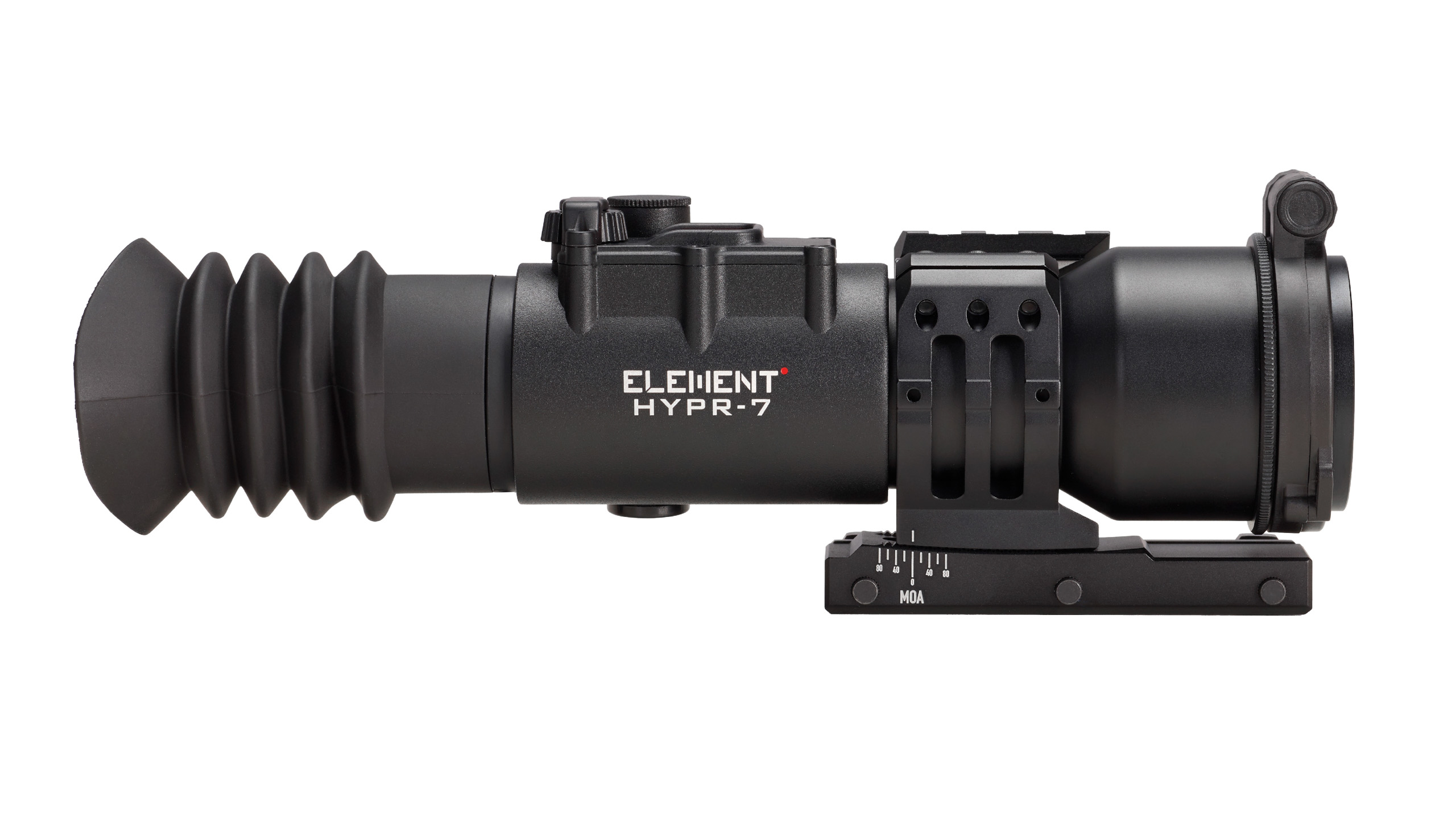
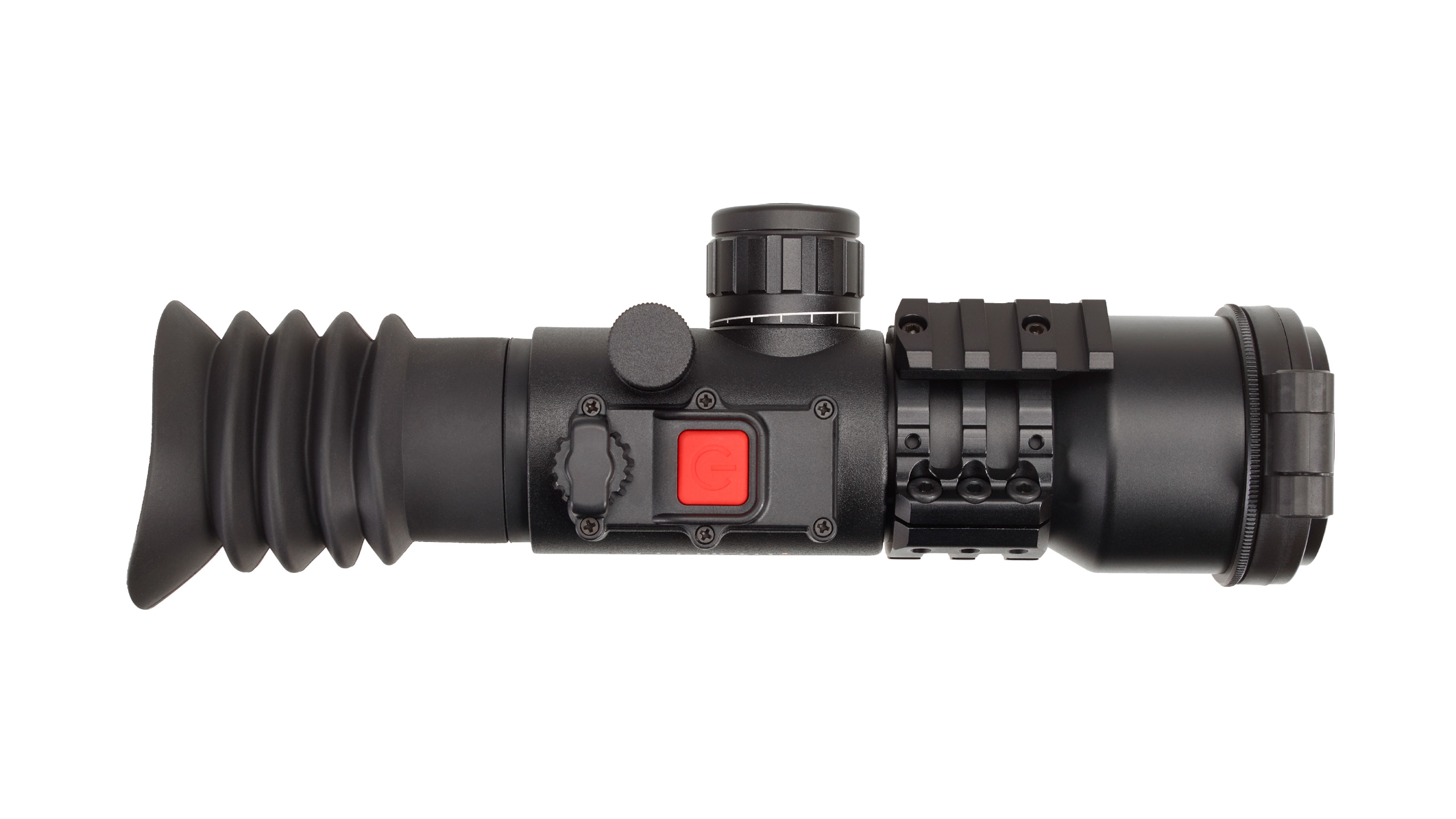
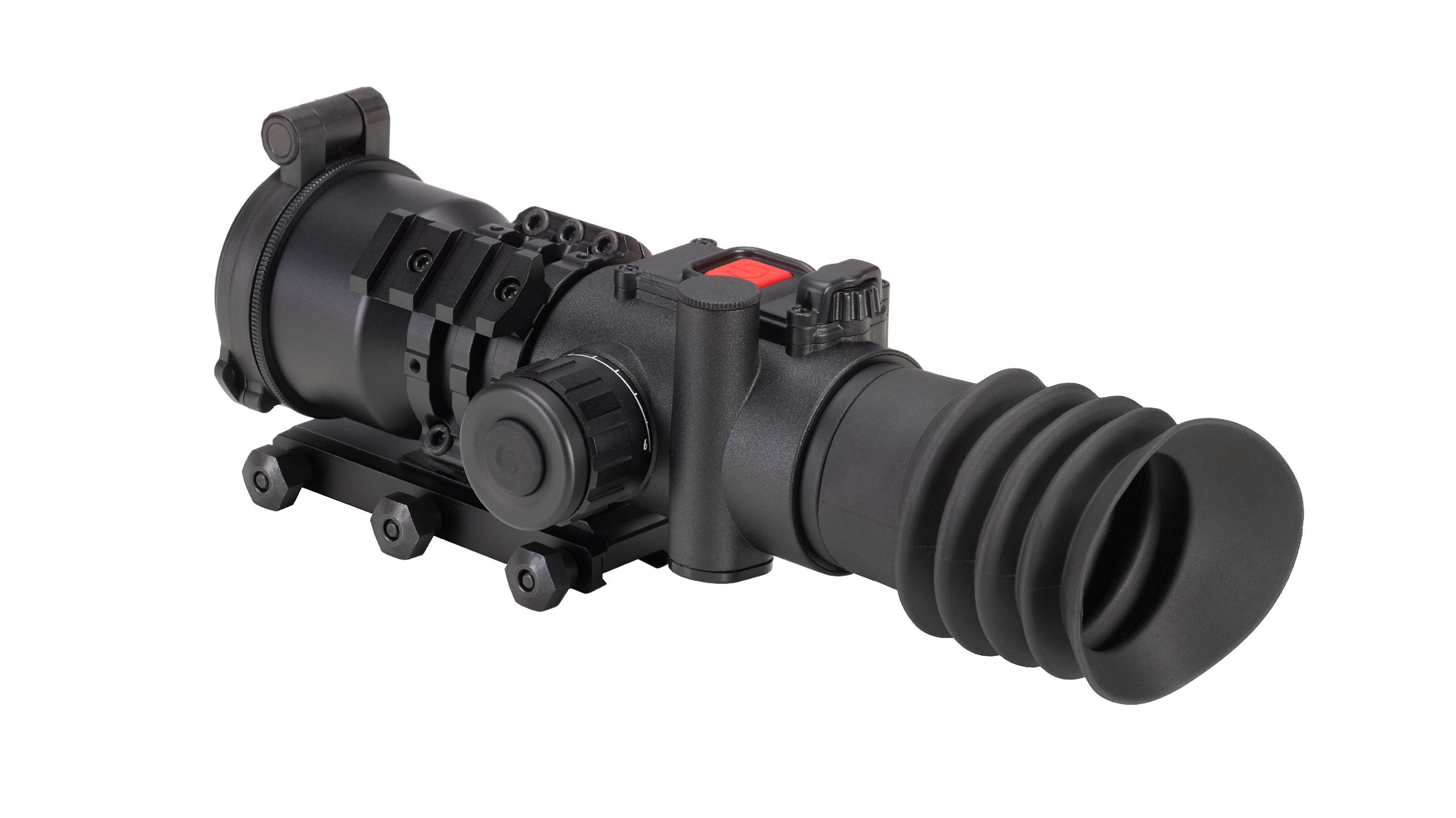
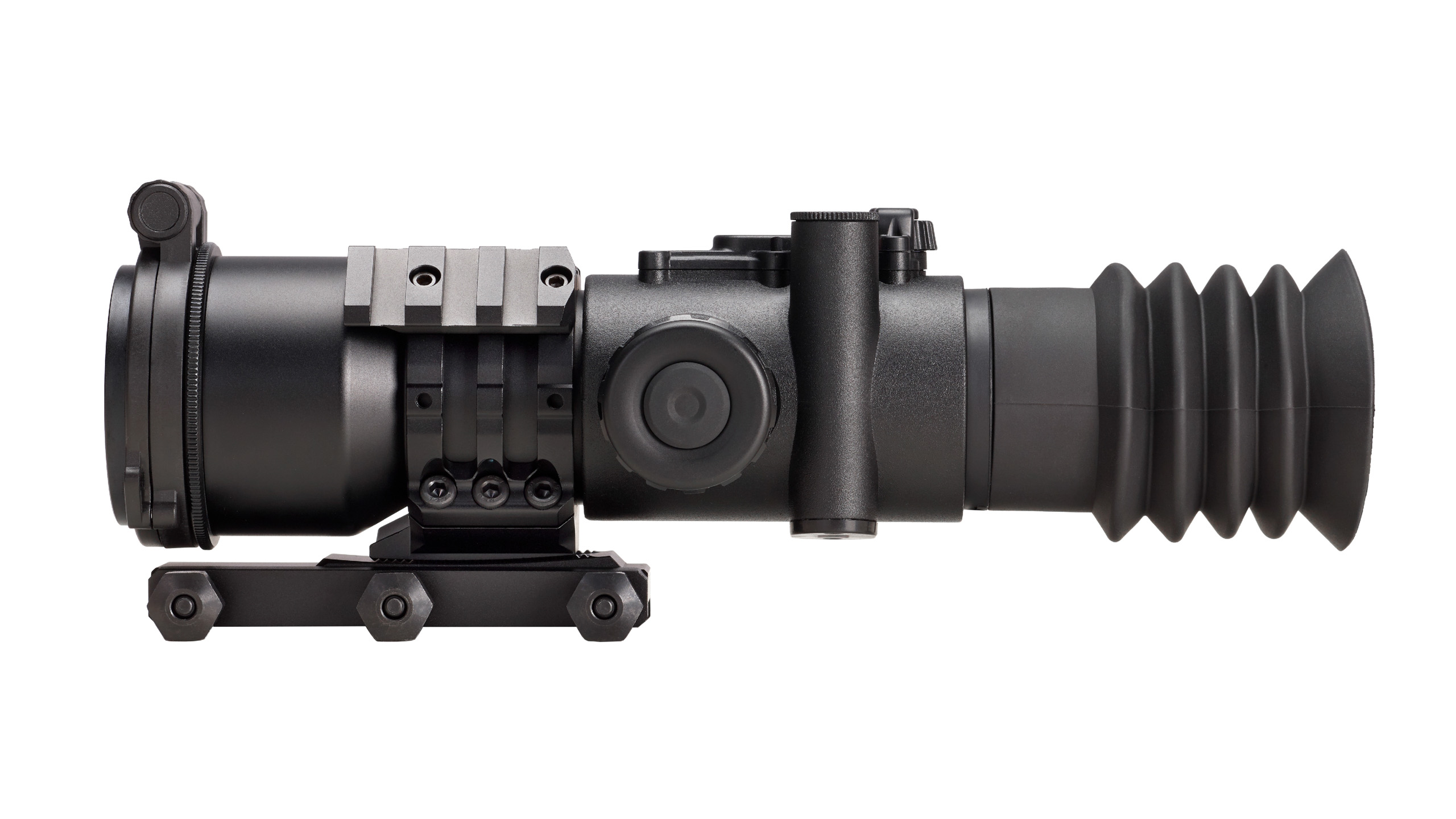
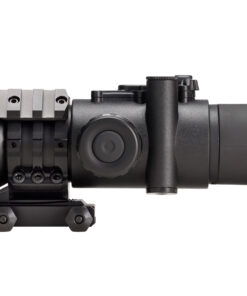
Element Optics HYPR-7
$1,000.00
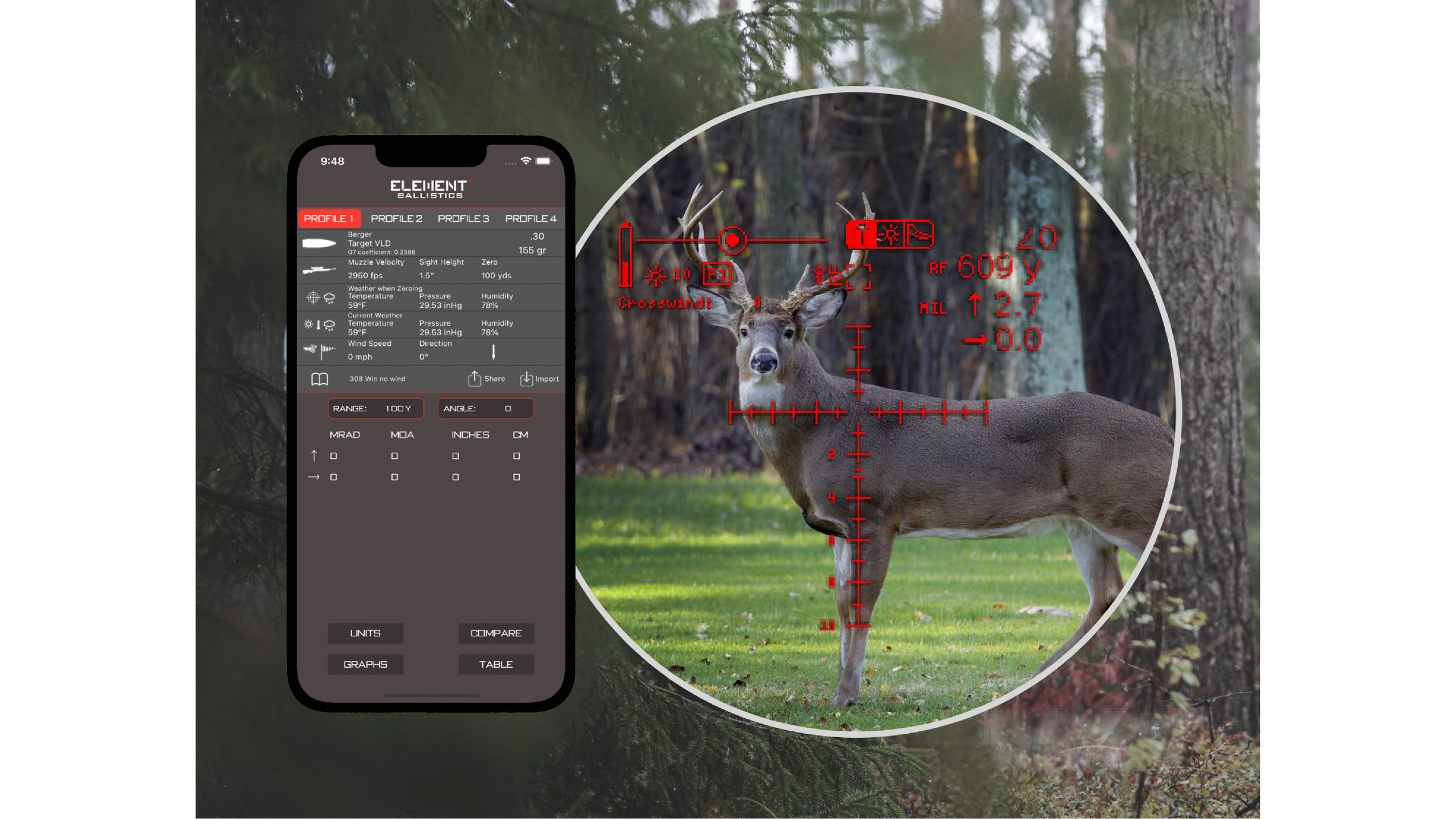
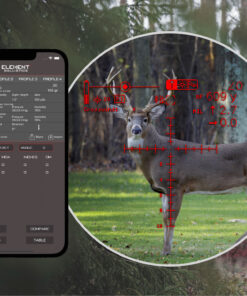
HYPR-7 stands for “Hybrid Precision Riflescope 7x”. This smart device combines the superior clarity and resolution of an analog optical system with the flexibility of a digital reticle, with technology far ahead of its time enabling you to reach further, faster. With a variety of on-board sensors and a powerful ballistic chip, you no longer have to process information & input firing solutions yourself – It is all done for you in a fraction of a second. And it gets even better…With the ability to integrate with other devices, you’ll be able to create a shooting system according to your requirements and experience the full potential of the digital system, all while enjoying a crisp image through ED glass.
Features:
- ED Optical system with 50mm Objective Lens
- Digital Display showing data for Distance, Incline, Elevation & Windage, POI and more.
- Parallax from 6 yds to Infinity.
- Programmable reticle, including Live BDC mode.
- Onboard sensors: Inclinometer, Barometer, Thermometer and Hygrometer.
- Bluetooth Connectivity with External Devices
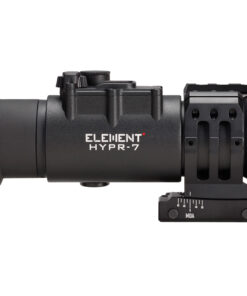
- Tilt-Adjustable Unimount with Accessory Rail Included.
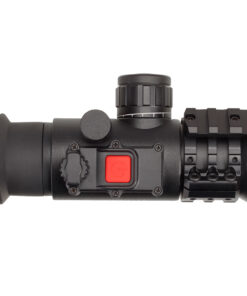
- Magnetic Flip cap with ND filter Included.
- Configurable through Element Ballistics App
- Stores 4 Ballistic Profiles at once
- Waterproof, Fogproof, Shockproof & Nitrogen Purged
Specs:
| MAGNIFICATION | 7x |
| OPTICAL SYSTEM TYPE | PRISMATIC |
| OBJECTIVE LENS DIAMETER | 50mm |
| EXIT PUPIL | 7mm |
| EYE RELIEF | 45mm |
| WATERPROOF | YES |
| FOGPROOF | YES |
| FIELD OF VIEW | @100yds: 25.5ft | @100m: 8.8m |
| MINIMUM PARALLAX | 6 YDS | 6 METERS |
| DIGITAL ELEVATION TRAVEL | 81 MOA | 23.5 MRAD |
| MECHANICAL ELEVATION TRAVEL (MOUNT) | 160 MOA | 46 MRAD |
| LENGTH | 6.81” | 173mm |
| WEIGHT (WITH BATTERY) | 18.3oz | 518g |
Element Optics HYPR-7 — Hybrid Precision 7× Prismatic Riflescope with ED Glass, Digital Reticle, Ballistic Chip, Environmental Sensors, and Bluetooth Connectivity
Element Optics HYPR-7 Hybrid Optical System, Digital Reticle, Ballistic Processing, Parallax Control, Mounting, and Precision
The Element Optics HYPR-7 is a hybrid precision optic that combines a traditional 7× prismatic optical system with an electronically programmable reticle and onboard ballistic-processing technology. The name itself stands for Hybrid Precision Riflescope 7x. Instead of replacing conventional glass with a digital camera, the HYPR-7 maintains a direct optical image through ED glass while digital information is projected into the user’s sight picture.
Element specifies a 50mm objective lens, 7mm exit pupil, 45mm eye relief, 25.5-foot field of view at 100 yards, and side parallax adjustment from approximately 6 yards to infinity. The unit measures about 173mm / 6.81 inches and weighs approximately 518g / 18.3oz with its battery installed.
The digital system can display information including distance, inclination, elevation and windage information, predicted point of impact, and other user-selected data. Additionally, onboard sensors include an inclinometer, barometer, thermometer, and hygrometer. Profiles can be configured through the Element Ballistics App, and the optic can store four ballistic profiles simultaneously.
Sniper Hider
The phrase sniper hider does not describe a function of the HYPR-7. This product is an optical and electronic sighting system built around image quality, programmable information, and precision adjustment.
Optics Warehouse
Optics Warehouse is associated with optics retail and product research rather than a technical component of this device.
Red Dot UK
A red dot UK search generally concerns reflex sights with little or no magnification. By contrast, this optic uses fixed 7× magnification and a sophisticated digital reticle architecture.
Picatinny
A Picatinny rail provides a standardized mounting interface for compatible optics. The HYPR-7 is supplied with a dedicated tilt-adjustable mounting system rather than ordinary separate scope rings.
Bipod for Rifle
A bipod for rifle can stabilize a compatible platform during lawful target use, although it operates independently from the optical system.
IR Illuminator
An IR illuminator is normally associated with electronic night-vision equipment. The HYPR-7 is primarily a conventional optical sight with digital reticle information rather than an infrared night-imaging system.
Minotaur 10-50×60
The Minotaur 10-50×60 belongs to another high-magnification optics family. Its variable zoom design is fundamentally different from the HYPR-7’s fixed 7× prismatic system.
Picatinny Dimensions
Picatinny dimensions are standardized under MIL-STD-1913 geometry. Proper compatibility between the platform rail and mounting system remains important for secure installation.
Scope Mount
A scope mount is especially important with the HYPR-7 because Element includes a tilt-adjustable Unimount with an accessory rail. Its mechanical elevation range is listed at approximately 160 MOA / 46 MRAD, substantially extending the physical adjustment capacity of the system.
Zero Stop Scope
A zero stop scope traditionally uses a mechanical turret stop. The HYPR-7 approaches correction differently through its digital reticle, internal ballistic system, and adjustable mounting architecture rather than relying on a conventional exposed elevation turret.
Sniper Hider
The repeated sniper hider phrase remains unrelated to the engineering design or function of this optic.
Optic Warehouse
An optic warehouse search normally concerns retail availability, product comparison, or specification research.
What Is a Picatinny Rail
For what is a Picatinny rail, it is a standardized mounting interface with regularly spaced transverse slots designed to accept compatible optical and accessory mounts.
Parker Hale Scope Rings for Sale
Parker Hale scope rings for sale concerns conventional ring hardware. The HYPR-7 instead uses its own integrated mounting solution.
SWFA SS 10×42
The SWFA SS 10×42 is associated with fixed conventional magnification. The HYPR-7 also uses fixed power, but it adds a programmable digital reticle and onboard electronic processing.
Delta Stryker
Delta Stryker scopes belong to another precision-optics family. Their conventional turret and reticle architecture should be compared independently with the hybrid design used here.
PRS Spotting Scope Setups
PRS spotting scope setups are primarily external observation systems used alongside the main optic. The HYPR-7 itself is intended as the mounted sighting system.
1913 Rail
A 1913 rail generally refers to the MIL-STD-1913 Picatinny standard commonly used for optics and accessory mounting.
What Is Zero Stop on a Scope
For what is zero stop on a scope, it is usually a mechanical system allowing an elevation turret to return to a defined reference point.
The HYPR-7 instead handles much of its trajectory correction electronically through the reticle and ballistic processor.
Difference Between Weaver and Picatinny Rail
The difference between Weaver and Picatinny rail primarily concerns standardized slot geometry and spacing.
Some accessories fit both systems, but compatibility should always be verified.
Scope Illumination
Scope illumination in the HYPR-7 goes beyond simply lighting a conventional reticle.
The system uses a digital display capable of showing the reticle, predicted point of impact, range information, incline, windage, elevation, battery status, and connected-device data.
What Is Parallax in Optics
For what is parallax in optics, parallax is apparent movement between the reticle and target when the eye moves relative to the optical axis.
The HYPR-7 provides side adjustment down to approximately 6 yards, which makes its fixed 7× image practical over a broad range of target distances.
Ballistic Solver
A ballistic solver is central to the HYPR-7 concept.
Element integrates a dedicated ballistic chip capable of processing user profile information together with environmental and angle data before presenting predicted point-of-impact information through the digital display.
Any ballistic functions should be configured and used only for lawful sporting and controlled range applications.
What Is Parallax in Optics
The repeated what is parallax in optics query matters because accurate parallax adjustment remains important even when an optic contains electronic trajectory information.
Digital calculations cannot compensate for poor optical eye alignment.
Delta Optics
Delta Optics is another optical manufacturer and has no direct role in the HYPR-7 system.
Element Optics
Element Optics developed the HYPR-7 as a combination of analog ED-glass viewing and digital ballistic information.
Its defining technologies include programmable reticles, onboard sensors, Bluetooth connectivity, app configuration, and hybrid optical-electronic operation.
Schmidt and Bender Scopes
Schmidt and Bender scopes belong to a separate premium optics category that generally follows a traditional mechanical riflescope architecture rather than this hybrid approach.
Best Rifle Bipod for Long Range Shooting
The best rifle bipod for long range shooting depends on the host platform, surface, stability requirements, and lawful sporting application.
It does not determine the optical performance of the HYPR-7.
Chrony Chronograph
A Chrony chronograph measures projectile velocity.
Accurate velocity information can contribute to better ballistic profile data when a calculation system is configured for controlled sporting use.
Hikmicro Stellar SX60L Thermal Scope
The Hikmicro Stellar SX60L thermal scope uses electronic thermal imaging.
The HYPR-7 does not create a thermal picture; instead, the actual scene is viewed directly through optical glass while digital information is superimposed.
Best Digital Night Vision Scope
The best digital night vision scope belongs to another optical category.
Digital night-vision products rely on cameras, electronic image processing, and displays, whereas this system retains a direct analog sight picture.
March Riflescope Adjustments Argon Filled D42HV56WFML G2
The phrase march riflescope adjustments argon filled d42hv56wfml g2 refers to a different premium optic and should not be used as specification data for the HYPR-7.
DNT Optics Review
A DNT optics review generally concerns electronic night-vision, thermal, or multispectral equipment.
The HYPR-7 is different because its electronic system augments an ordinary optical image instead of replacing it.
Falcon Optics
Falcon Optics is another optics manufacturer whose products should be compared according to their own specifications.
Best Night Vision Scope
The best night vision scope is evaluated according to sensor resolution, infrared performance, display quality, and low-light capabilities.
Those factors are not directly comparable with this ED-glass hybrid system.
What Is Parallax in a Scope
For what is parallax in a scope, parallax describes apparent reticle movement caused by incorrect optical alignment between the target image and reticle plane.
The six-yard minimum setting gives the HYPR-7 considerable close-range focusing flexibility.
ZCO Optics
ZCO Optics belongs to another premium precision-optics manufacturer and uses a more conventional mechanical scope architecture.
What Is Parallax in a Rifle Scope
For what is parallax in a rifle scope, minimizing apparent reticle movement contributes to more repeatable aiming even when digital corrections are available.
TNC225R Review
A TNC225R review concerns a separate digital imaging optic and should not be confused with this prismatic hybrid system.
Tactical Rail
A tactical rail normally describes an accessory mounting interface such as Picatinny.
The HYPR-7’s included mount also incorporates an accessory rail for compatible additional equipment.
SWFA Scope Review
An SWFA scope review relates to competing conventional optics rather than this digitally enhanced platform.
Scope Torque Wrench
A scope torque wrench can help mounting hardware remain within specified limits.
Correct torque is important because excessive force can damage threads while insufficient torque may permit movement.
TPO Scopes
TPO scopes belong to another optics category or manufacturer depending on the model being researched.
Best Scope for Air Rifle
The best scope for air rifle depends on recoil characteristics, distance, magnification needs, focus range, and total system weight.
The HYPR-7’s 6-yard minimum parallax can be useful for precision air-rifle range setups where closer focus is required.
What Is the MOA of a Scope
For what is the MOA of a scope, MOA means minute of angle and represents an angular measurement.
The HYPR-7 provides approximately 81 MOA / 23.5 MRAD of digital elevation travel, while its adjustable mounting system provides about 160 MOA / 46 MRAD of mechanical elevation capability.
Optics Planet
Optics Planet is an optics retailer and information source rather than a feature of this device.
DNT Thermal Scope Review
A DNT thermal scope review concerns electronic thermal sensing, which is different from the direct optical image used by the HYPR-7.
Picatinny Dimensions
The repeated picatinny dimensions phrase remains relevant to confirming rail and mount compatibility before installation.
Vector Minotaur 10 50×60
The Vector Minotaur 10 50×60 offers substantially higher variable magnification, while the HYPR-7 focuses on fixed 7× viewing combined with electronic assistance.
Picatinny Scope Base
A Picatinny scope base can provide the standardized mounting surface required for the supplied mounting system when the host platform is compatible.
Why the Hybrid Optical System Matters
The key engineering advantage of the HYPR-7 is that the user still views the target through real optical glass.
Unlike a fully digital sight, there is no camera sensor creating the primary image.
Instead, digital information is added to the field of view.
This preserves the natural resolution, color, and latency characteristics of conventional optics while still providing programmable information.
How Good Is the ED Glass?
Element specifies an ED optical system with a 50mm objective lens.
ED glass is used to reduce chromatic aberration and improve edge definition and color accuracy.
This is particularly valuable in a fixed 7× system where the user consistently views the scene at the same magnification.
Why Fixed 7× Magnification Matters
Fixed 7× power avoids the complexity of managing a zoom system.
The 25.5-foot field of view at 100 yards provides substantial surrounding visual information while still offering useful magnification for detailed target observation.
The fixed optical arrangement also contributes to the compact overall size.
How the Digital Reticle Works
The reticle is programmable rather than permanently etched as a single design.
Element provides different display configurations and a Live BDC mode, allowing the electronic aiming information to respond to stored ballistic profile data.
Unlike a purely mechanical reticle, this architecture allows the point-of-impact information to be adjusted electronically without changing the underlying optical magnification.
Why Environmental Sensors Are Important
The integrated barometer, thermometer, hygrometer, and inclinometer provide data that can be used by the onboard processor.
Temperature, atmospheric pressure, humidity, and incline can affect external ballistic calculations.
By collecting this information internally, the system reduces the number of separate devices required for data input.
Bluetooth Connectivity
Bluetooth allows communication with compatible external equipment and the Element Ballistics App.
Profiles can be prepared on a phone or tablet and then transferred to the optic.
Element states that four ballistic profiles can be stored simultaneously.
Why the Adjustable Mount Matters
The included mount provides up to approximately 160 MOA / 46 MRAD of mechanical elevation travel.
This is separate from the digital elevation range provided by the reticle system.
Therefore, the mount is not merely an attachment component; it is an important part of the overall adjustment architecture.
Where the HYPR-7 Works Best
The optic is best suited to lawful precision target shooting, competition-style range setups, and compatible air-rifle applications where fixed magnification, close parallax adjustment, digital information, and integrated environmental sensing are useful.
Its relatively compact 173mm length and 518g weight also reduce the bulk normally associated with complex optical-electronic systems.
When the Digital System Is Most Useful
The electronic system becomes especially useful when several pieces of information would otherwise need to be interpreted separately.
Instead of checking angle, environmental measurements, profile information, and correction data across multiple devices, selected information can be presented inside the optical view.
How Precise Is the HYPR-7?
Precision depends on a combination of the ED optical system, fixed 7× magnification, six-yard parallax adjustment, digital reticle, onboard environmental sensing, programmable profiles, and adjustable mount.
However, repeatable results still depend on secure mounting, correct profile information, accurate parallax adjustment, stable support, and consistent eye position.
Important Information About the HYPR-7
The HYPR-7 is waterproof, fogproof, shockproof, and nitrogen purged, according to Element. A magnetic flip cap with an ND filter is also included.
It is important to understand its warranty structure as well. Element states that the conventional analog components of its electro-optics retain lifetime coverage, while the electronic components of products such as the HYPR-7 are covered by a three-year electro-optics warranty, subject to the company’s warranty terms.
Overall, the Element Optics HYPR-7 combines direct ED-glass viewing, fixed 7× magnification, a programmable digital reticle, environmental sensing, integrated ballistic processing, Bluetooth connectivity, six-yard parallax capability, and an adjustable mounting system into a distinctive hybrid precision optic.
Optical Clarity, Digital Reticle Control, Parallax Adjustment, Battery Management, and Practical Reliability
Optical Clarity
Optical clarity remains one of the most important parts of the overall viewing experience because the system still relies on a direct optical image.
Clean glass, accurate focus, correct eye position, and good environmental conditions all contribute to how much detail the user can actually see.
A fixed-power design also creates a consistent visual scale. Therefore, once the user becomes familiar with the image, there is less need to adapt to changing magnification.
Why ED Glass Matters
Low-dispersion glass is used to reduce chromatic aberration.
Chromatic aberration appears as colored fringing around high-contrast edges, particularly when bright and dark objects sit close together.
Reducing that effect can improve perceived sharpness and color fidelity.
This matters because digital information may be shown over the optical image, so a clean underlying sight picture makes the complete display easier to interpret.
Fixed-Power Simplicity
Fixed magnification removes the need for a zoom mechanism.
As a result, the user experiences the same field of view and image scale every time the optic is used.
This can simplify training and improve familiarity.
However, fixed power also means the user cannot widen or narrow the field of view through magnification adjustment.
The platform should therefore be chosen with the intended viewing distance in mind.
Image Stability
At moderate fixed magnification, movement from the host platform, support equipment, or body position can still become noticeable.
A stable support system helps the user evaluate the optical image accurately.
If the image seems unstable, the first step should be to check the platform and shooting position before assuming there is a problem with the optic itself.
Eye Position
Consistent eye position improves image quality and helps maintain a full sight picture.
If the eye sits too far off-center, parts of the image may become shadowed.
A natural head position is preferable to forcing the neck or cheek position.
The mount should be adjusted so the user can align with the optic comfortably and repeatably.
Side-Focus Adjustment
The side-focus control should be adjusted according to the approximate target distance.
Its purpose is not only to sharpen the image but also to reduce parallax error.
Fine adjustment is especially useful when the target is relatively close or when precise visual alignment matters.
The control should move smoothly and should never be forced against its limits.
Checking Parallax
Parallax can be checked by keeping the platform still while slightly moving the eye behind the optic.
If the reticle appears to shift relative to the target, further side-focus adjustment may be useful.
A sharp image does not always mean parallax has been fully minimized.
Consistent eye placement remains important even after the focus system has been adjusted correctly.
Digital Reticle Visibility
The digital reticle should remain clear against different backgrounds.
Brightness should be adjusted so the information remains visible without overpowering the optical image.
If the display is set too bright, fine details can become distracting.
If it is too dim, important information may be difficult to see.
A balanced setting improves both comfort and readability.
Display Information Management
The user should avoid filling the sight picture with more information than necessary.
Range, angle, environmental data, and correction information can all be useful, but too many visual elements may reduce clarity.
It is often better to display only the information needed for the current task.
A simpler screen can improve concentration and reduce visual clutter.
Reticle Profile Selection
Stored profiles should be checked before use.
Selecting the wrong profile can cause incorrect displayed information even when the optic itself is functioning perfectly.
Each profile should be clearly identified and matched to the correct setup.
Any changes to projectile characteristics, velocity, or other input data should be reflected in the stored configuration.
Sensor Awareness
Environmental sensors can provide useful data, but they should not be treated as infallible.
Temperature, pressure, humidity, and angle readings should be considered alongside actual conditions.
If a reading seems unreasonable, the user should confirm that the device has stabilized after a major environmental change.
Rapid movement between indoor and outdoor conditions can temporarily affect sensor readings.
Bluetooth Connectivity
Wireless connectivity can simplify profile management and communication with compatible devices.
However, Bluetooth also increases power consumption.
If it is not required, turning it off can help conserve battery life.
The user should also keep the connected application updated and should only use official or trusted software sources.
Battery Performance
Battery runtime depends on display brightness, wireless use, sensor activity, and environmental temperature.
Cold conditions can reduce available battery capacity.
For extended sessions, spare compatible batteries should be stored properly and kept protected from moisture.
Damaged, swollen, leaking, or unusually hot batteries should never be used.
Battery Compartment Care
The battery compartment should remain clean and dry.
Contacts should be free from corrosion or debris.
The battery should fit correctly and should never be forced into position.
If the compartment cover does not close normally, the battery orientation and sealing surfaces should be checked first.
A damaged seal can reduce environmental protection.
Power Conservation
Battery life can often be improved by reducing unnecessary display brightness and disabling unused wireless features.
The device should also be powered off during long periods of inactivity.
Users should develop a simple power-management routine so the optic does not unexpectedly lose power during an important session.
Mount Stability
The mounting system is a critical part of the overall setup.
The optic can only remain consistent if the mount itself is secure.
The base should sit flat on the rail, and the fasteners should be tightened evenly.
Any movement between the mount and rail should be investigated before further precision use.
Tilt Adjustment Care
If the mount includes a tilt mechanism, it should be configured carefully.
Once the desired position is established, the locking hardware should remain secure.
Unnecessary repeated changes can reduce repeatability.
The mechanism should also be checked periodically for signs of looseness.
Fastener Torque
Fasteners should be tightened according to manufacturer guidance.
Too much torque can damage threads or mounting components.
Too little can allow movement.
A suitable torque tool improves consistency and reduces the chance of over-tightening.
Fasteners should be tightened gradually rather than one being fully secured before the others.
Rail Interface
The rail should remain clean and free from grit, heavy oil buildup, or corrosion.
A dirty mounting surface can reduce stability.
The mount should sit evenly without rocking.
After transport or repeated use, the attachment should be inspected to confirm that it has not shifted.
Optical Surface Care
Both the objective and eyepiece should remain protected from dust, fingerprints, and impact.
Loose particles should be removed before wiping.
A suitable optical blower, brush, or microfiber cloth is preferable to ordinary clothing.
Harsh cleaning materials should be avoided because they can damage coatings.
Objective Cleaning
The front lens should be cleaned only when necessary.
If dust is present, it should be removed before direct wiping.
Fingerprints or moisture can then be removed gently with appropriate materials.
Aggressive cleaning should be avoided because scratches cannot easily be repaired.
Eyepiece Cleaning
The rear lens can collect skin oils and moisture because it sits close to the face.
It should be inspected regularly.
A clean eyepiece improves perceived sharpness and reduces glare.
However, excessive wiping is unnecessary if the lens is already clean.
Display and Electronics Protection
Although the electronics are enclosed, the optic should not be subjected to unnecessary impact or water exposure.
The digital components depend on stable internal connections.
A major drop can affect both optical alignment and electronic reliability.
After impact, all major functions should be tested before demanding use.
Rain Exposure
The housing should be dried after use in wet conditions.
Water can collect around buttons, battery covers, mounting points, and lens edges.
The optic should not be sealed immediately inside a case while still wet.
Allowing it to dry first helps reduce trapped moisture.
Condensation Management
Rapid temperature changes can create external condensation.
The optic should be allowed to acclimate gradually when possible.
Wet lenses should not be rubbed aggressively if dust is present.
Allowing moisture to evaporate naturally helps protect the optical coatings.
Heat Protection
The device should not be left inside a closed vehicle in direct sunlight for long periods.
Excessive heat can affect batteries, seals, displays, and internal electronics.
A shaded and ventilated storage location is preferable.
Cold-Weather Care
Low temperatures can reduce battery performance and may make some controls feel slightly stiffer.
The optic should be allowed to warm gradually after returning indoors.
Rapid warming can increase condensation.
Controls should not be forced simply because they feel slower in cold conditions.
Firmware and Software Maintenance
Software updates can improve compatibility, user interface behavior, and digital features.
Updates should only come from trusted manufacturer sources.
The battery should have sufficient charge before installation.
The device should not be powered off while firmware is being updated.
Transport Protection
A padded case should protect the optic from impact, vibration, and pressure.
Heavy objects should not rest against the housing, lenses, controls, or mount.
After rough transport, fasteners, battery condition, display behavior, focus, and sensor functions should all be checked.
Storage Conditions
For extended storage, the device should remain clean, dry, and protected from excessive temperature changes.
Battery guidance should be followed.
The optic should not be stored beneath heavy equipment or in a location where moisture can accumulate.
Periodic Function Checks
A stored device should be powered on occasionally.
The optical image, reticle display, sensors, Bluetooth, battery system, focus control, and mount can all be checked briefly.
This helps reveal battery deterioration or electronic problems before the optic is needed again.
Long-Term Practical Reliability
Long-term reliability depends on clean glass, stable mounting, correct torque, sensible battery management, accurate profile selection, protected electronics, and careful environmental handling.
The housing, objective, eyepiece, digital display, battery compartment, sensors, focus control, mount, and rail interface should all be monitored over time.
Changes in image clarity, display behavior, power consumption, sensor readings, connection stability, or mounting security should not be ignored.
When the optic is kept dry, protected from impact, mounted correctly, updated carefully, and maintained with suitable optical and electronic care, it is more likely to preserve clear viewing, reliable digital information, stable configuration, and dependable precision over extended use.
Focus Accuracy, Digital Display Management, Mount Alignment, Power Efficiency, and Long-Term Optical Care
Focus Accuracy
Accurate focus is essential because the optical image forms the foundation of the entire viewing system.
The side-focus control should be adjusted until the target appears sharp and apparent reticle movement has been minimized.
A poorly focused image can make digital information harder to interpret because the eye is forced to work harder to separate the target from the displayed overlay.
For this reason, focus should be checked before changing more advanced settings.
Why Eye Alignment Matters
Consistent eye alignment helps maintain a complete and comfortable sight picture.
If the eye sits too high, low, or far to either side, image shadowing can occur.
A stable head position also improves repeatability.
The optic should be mounted so the user can achieve natural alignment without forcing the neck or changing posture every time the platform is used.
Fixed Magnification Consistency
A fixed-power optical system provides the same visual scale every time.
This can simplify training because the user becomes familiar with one field of view and one image size.
There is no magnification ring to manage or accidentally leave at an unsuitable setting.
However, the fixed-power format also means that the user must be comfortable with the selected magnification for most intended distances.
Image Detail
Image detail depends on lens quality, focus, lighting, atmospheric conditions, and target contrast.
Even high-quality glass cannot fully overcome poor visibility caused by fog, heat shimmer, heavy rain, or low contrast.
The user should therefore evaluate image quality according to real environmental conditions.
A clean lens and accurate focus are usually the best starting points when the image appears less sharp than expected.
Color and Contrast
Good contrast helps separate objects from their surroundings.
Optical coatings and low-dispersion glass help maintain edge definition and reduce unwanted color fringing.
However, fingerprints, dust, or moisture can reduce apparent contrast considerably.
Before assuming an internal optical problem, both the objective and eyepiece should be inspected for contamination.
Side-Focus Control
The side-focus mechanism should rotate smoothly through its normal range.
It should not feel gritty or unusually loose.
Small adjustments are often more effective than large changes when fine focus is required.
The user should avoid forcing the control against its limits because unnecessary mechanical stress can reduce long-term reliability.
Parallax Verification
After the image has been focused, parallax should be checked.
With the platform held still, the eye can be moved slightly behind the optic.
If the reticle appears to move relative to the target, further adjustment may be necessary.
A sharp image alone does not always mean that parallax has been fully corrected.
Consistent eye position remains important even after adjustment.
Digital Reticle Clarity
The digital reticle should remain easy to distinguish without covering unnecessary portions of the image.
Brightness should be adjusted according to background and ambient light.
Too much brightness can make fine information harder to read.
Too little brightness can cause the reticle to disappear against dark backgrounds.
A balanced setting gives the user clear information without distracting from the optical image.
Display Layout
The display should contain only the information needed for the current task.
Too many data fields can create visual clutter.
If several measurements are shown at once, the user may spend more time reading the screen than observing the target.
A simpler layout often improves concentration and reduces the chance of interpreting the wrong information.
Profile Management
Stored profiles should be named and organized clearly.
Before use, the active profile should be confirmed.
Selecting the wrong setup can cause incorrect displayed corrections even if the optic is functioning correctly.
Whenever input information changes significantly, the stored profile should be reviewed.
Keeping profiles organized helps prevent avoidable configuration errors.
Environmental Sensor Accuracy
Integrated environmental sensors can support data processing, but sensor readings should be interpreted sensibly.
Temperature and humidity may require time to stabilize after the optic moves between different environments.
If a reading seems unrealistic, the device should be allowed to acclimate.
Electronic measurements should support observation rather than replace basic judgment.
Inclination Awareness
An internal angle sensor can provide useful orientation information.
However, the user should confirm that the optic is mounted level and correctly aligned.
If the platform or mount is significantly canted, electronic information may not reflect the intended setup.
Mechanical alignment therefore remains important even when electronic assistance is available.
Wireless Connectivity
Wireless communication can simplify configuration and profile transfer.
However, connectivity should be managed carefully.
If wireless functions are not needed, disabling them can reduce power consumption.
Connected devices should also use trusted software and normal security protections.
Unnecessary background connections can consume battery power without providing useful benefit.
Battery Efficiency
Battery runtime depends on display brightness, wireless activity, sensor use, temperature, and general operating time.
A lower display brightness can extend endurance when maximum illumination is unnecessary.
Cold conditions may reduce available capacity.
For longer sessions, a properly stored spare battery can provide useful backup.
Battery Inspection
The battery should be inspected before installation.
Swelling, corrosion, leakage, or damaged wrapping are warning signs.
The compartment should remain clean and dry.
Contacts should not be scraped aggressively.
If the battery cover becomes difficult to close, the battery orientation and sealing surfaces should be checked before force is applied.
Power-Off Routine
The optic should be powered down when it will not be used for an extended period.
Leaving electronic systems active unnecessarily can drain the battery.
The user should also confirm that recording, connection, or update functions have finished before powering off.
A consistent shutdown routine reduces the chance of data or software issues.
Mount Alignment
The mount should sit squarely on the rail.
If the base is twisted or uneven, the optical axis may not align naturally with the platform.
The mount should not rock when installed correctly.
Both contact surfaces should be clean before tightening begins.
Stable alignment provides the foundation for reliable optical and electronic performance.
Tilt Mechanism Stability
Any adjustable mounting angle should be configured carefully.
Once the desired position has been established, locking hardware should remain secure.
Repeated unnecessary adjustment can make the setup more difficult to reproduce.
The tilt mechanism should be checked periodically for movement.
Any visible looseness should be corrected before precision use.
Fastener Torque
Mounting screws should be tightened gradually and evenly.
Excessive torque can damage threads or mounting components.
Insufficient tightening can allow the optic to shift.
A suitable torque tool helps improve consistency.
The user should follow manufacturer recommendations rather than relying entirely on hand feel.
Rail Cleanliness
The rail should remain free from grit, excessive oil, and corrosion.
Dirt trapped between the mounting surfaces can affect stability.
Before installation, the rail and mount should be wiped clean.
After removal, the contact surfaces should be inspected for unusual wear.
Housing Condition
The housing should remain free from cracks, major dents, or unusual movement.
A compact optic can still be damaged by impact.
If the device is dropped, the objective, eyepiece, buttons, battery compartment, mount, focus control, and display should all be checked.
Any sudden change in performance should be investigated.
Button Response
Control buttons should respond consistently.
If a button begins sticking or requires excessive pressure, dirt or mechanical wear may be developing.
The area around each control should remain clean.
Liquids should not be forced into the button openings during cleaning.
Objective Lens Care
The front lens should remain protected from fingerprints, grit, and impact.
Loose dust should be removed before wiping.
A lens blower or soft brush is suitable for removing dry contamination.
If additional cleaning is required, an optical cloth should be used gently.
Eyepiece Lens Care
The rear lens may collect oil and moisture from the face.
It should be inspected regularly.
A clean eyepiece helps preserve sharpness and contrast.
Excessive cleaning should still be avoided because unnecessary contact can wear coatings over time.
Magnetic Cover Care
A protective magnetic cover should remain clean and should close correctly.
Grit around the magnetic surfaces can cause scratches or prevent full closure.
The hinge or attachment point should also be checked periodically.
A properly functioning cover provides useful protection during transport and storage.
Moisture Management
After exposure to rain or heavy humidity, the optic should be dried before storage.
Water should not remain around the battery compartment, buttons, mount, or lens edges.
The device should not be sealed immediately inside a case while wet.
Allowing it to dry first helps reduce trapped moisture.
Temperature Changes
Rapid movement between cold and warm environments can create condensation.
The optic should be allowed to acclimate gradually.
Wet lenses should not be rubbed aggressively if dust is present.
Allowing moisture to evaporate naturally helps protect the optical coatings.
Heat Protection
The device should not be stored in a closed vehicle exposed to direct sunlight for long periods.
Excessive heat can stress batteries, seals, electronic components, and display systems.
A shaded and ventilated environment is preferable.
Cold-Weather Care
Low temperatures can reduce battery runtime.
Controls may also feel slightly slower.
The optic should not be forced simply because a control feels stiffer.
After returning indoors, gradual warming helps reduce condensation and protects the internal components.
Firmware Maintenance
Firmware should only be obtained from trusted manufacturer sources.
Before an update begins, the battery should have sufficient charge.
The optic should not be powered down during installation.
Release notes should be reviewed before updating so the user understands what has changed.
Software Configuration
App settings should be reviewed whenever profiles or connected accessories are changed.
A configuration error can sometimes appear to be a hardware problem.
Keeping settings organized and documented makes troubleshooting easier.
The user should avoid changing several parameters at once unless necessary.
Transport Protection
A padded case should protect the optic from impact and vibration.
Heavy equipment should not press against the objective, eyepiece, buttons, or mount.
After rough transport, fasteners and major electronic functions should be checked.
Storage Conditions
For extended storage, the optic should be clean, dry, and protected from excessive temperatures.
Battery guidance should be followed.
The device should not be stored underneath heavy objects.
The case should provide sufficient clearance around the controls and mount.
Periodic Function Checks
A stored optic should be powered on occasionally.
The optical image, digital display, focus control, sensors, wireless connectivity, buttons, and mount can all be checked briefly.
This helps identify battery deterioration or software issues before the device is needed again.
Long-Term Optical and Electronic Reliability.
Long-term reliability depends on clean glass, stable mounting, correct torque, sensible battery management, accurate profiles, protected electronics, and careful environmental handling.
The housing, objective, eyepiece, display, controls, sensors, battery compartment, focus mechanism, mount, and rail interface should all be monitored.
Changes in image clarity, display behavior, battery life, sensor readings, connection stability, or mounting security should not be ignored.
When the optic is kept dry, transported carefully, mounted correctly, updated responsibly, and maintained with proper optical and electronic care, it is more likely to preserve clear viewing, dependable data, stable configuration, and consistent precision over extended use.
Be the first to review “Element Optics HYPR-7”
Related products
Reviews
There are no reviews yet.