
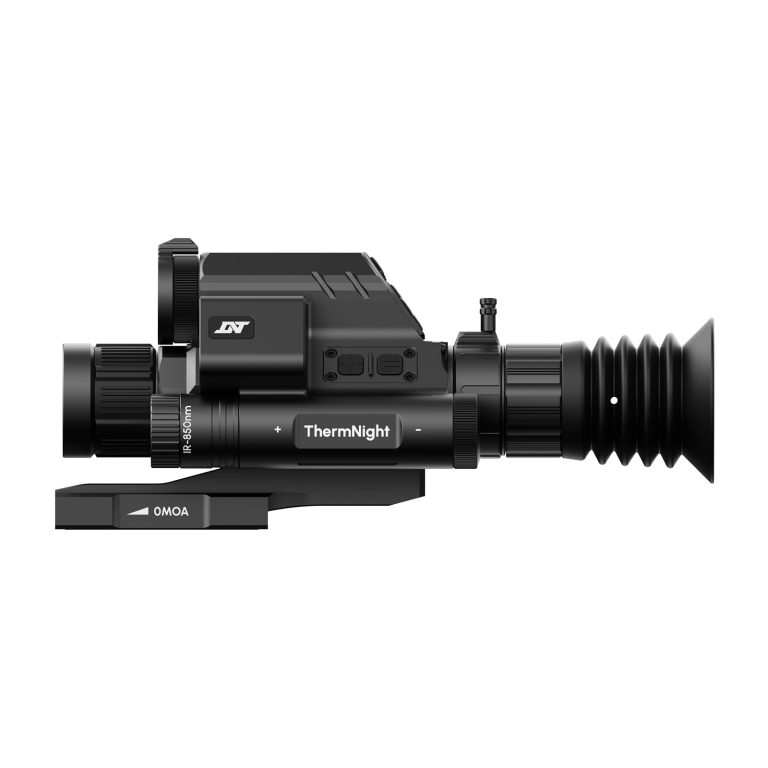
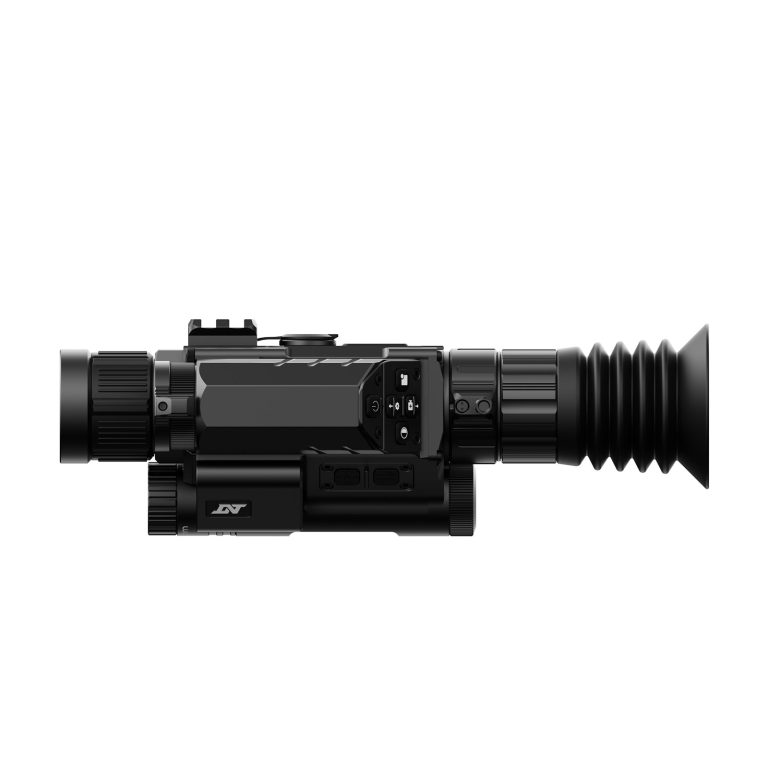
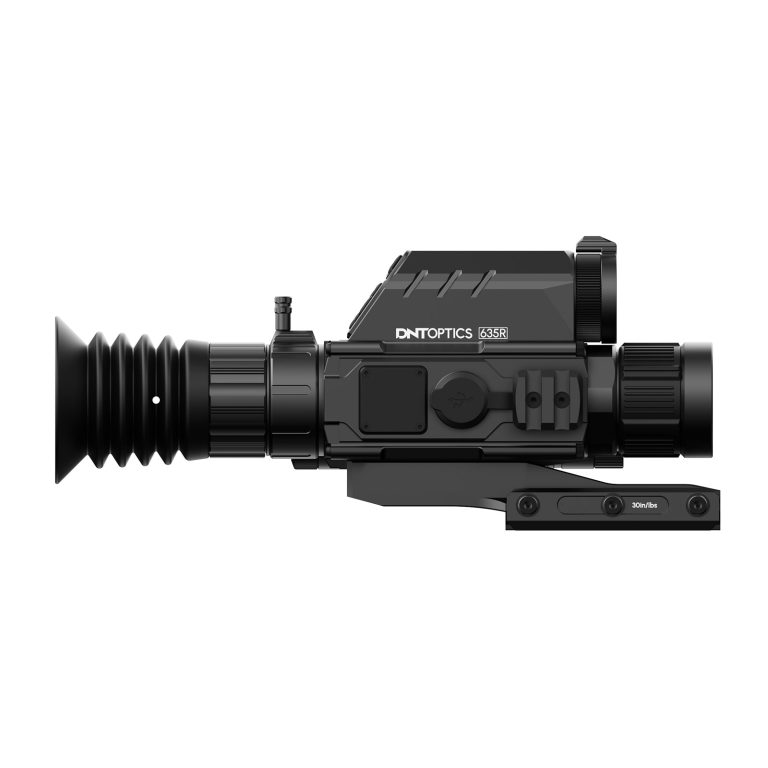
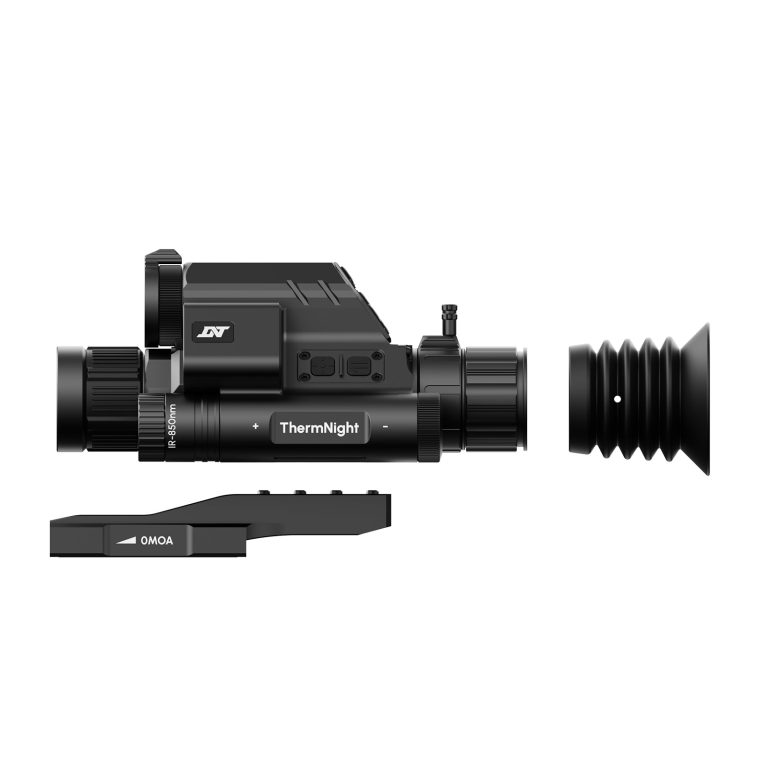
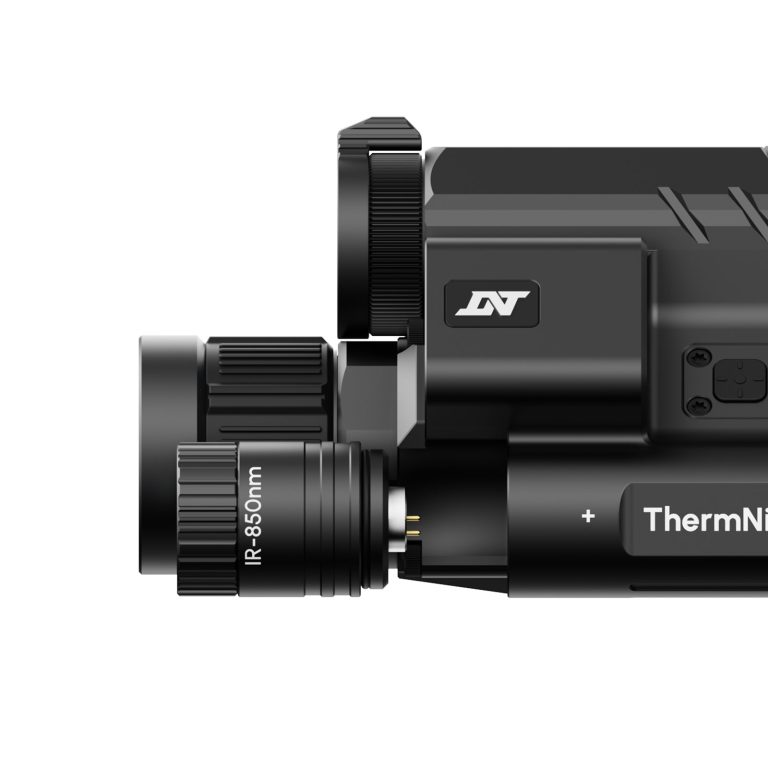
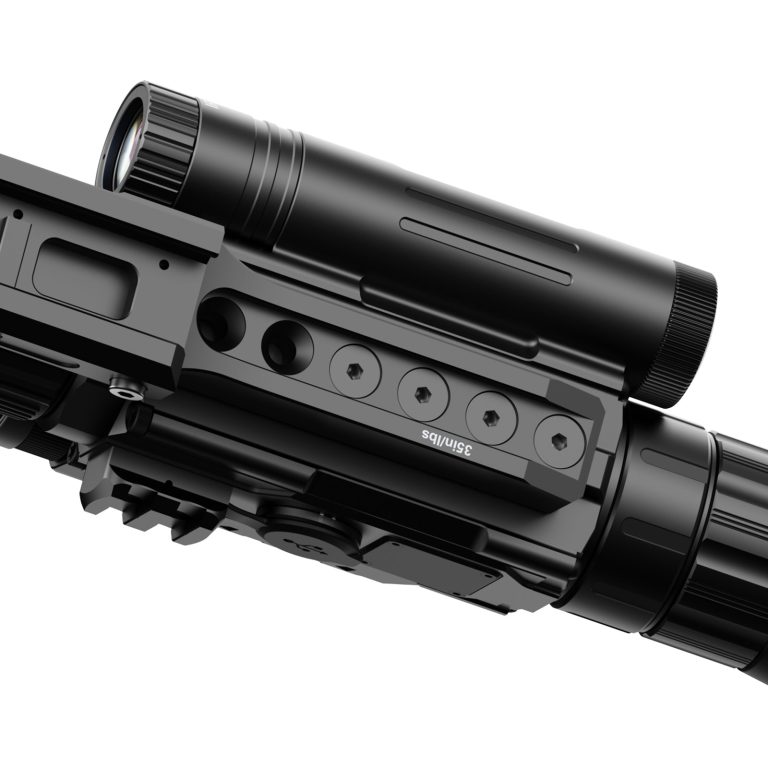
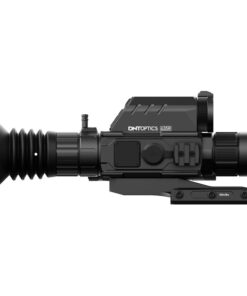
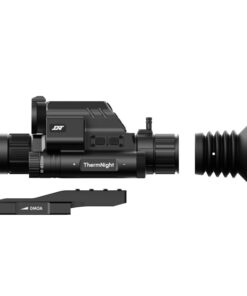
DNT TNC635R ThermNight Thermal & Night Vision Multispectral Scope
$2,000.00
DNT TNC635R – ThermNight Thermal & Night Vision Multispectral Scope with Laser Rangefinder and Ballistic Calculator
The TNC635R ThermNight Multispectral Scope delivers a complete, all-in-one solution for hunters who demand detection, identification, and precision in any environment. Combining thermal imaging, digital night vision, an integrated LRF, and a ballistic calculator, it’s built for total situational awareness day or night.
Overview
At its core, the TNC635R pairs a 640×512 thermal sensor with Sony Starvis 2 digital night vision, giving you the ability to detect heat signatures and positively identify targets with clarity. Seamless switching between modes and Picture-in-Picture (PIP) ensures you never lose track of your target.
Key Features
- 640×512 thermal sensor (12µm)
- Excellent detection and wide field of view
- ≤18mK sensitivity
- Enhanced detail in low-contrast environments
- Sony Starvis 2 digital night vision
- Sharp identification in low light and daylight
- Thermal + digital fusion
- Seamless switching with Picture-in-Picture
- Integrated laser rangefinder
- Accurate ranging up to ~1100–1200 yards
- Built-in ballistic calculator
- Real-time corrections for precise shot placement
- 1920×1080 Micro-OLED display (60Hz)
- Crisp, smooth viewing experience
- 50Hz refresh rate
- Fluid thermal imaging
DNT TNC635R ThermNight Thermal & Night Vision Multispectral Scope — 640×512 Thermal Imaging, 1080p Digital Night Vision, Laser Rangefinding, and All-Condition Observation
DNT TNC635R ThermNight Imaging Technology, Thermal Detection, Night Vision, Rangefinding, Display Quality, and Practical Use
The DNT TNC635R ThermNight is a multispectral thermal and digital day/night optic built around two different imaging channels in one compact housing. Its thermal channel uses a 640×512 uncooled infrared sensor, 12 μm pixel pitch, ≤18 mK thermal sensitivity, 35mm objective lens, 50Hz refresh rate, and a wide 12.52° × 10.02° field of view. Thermal magnification begins at 1.5× and extends digitally to 6×.
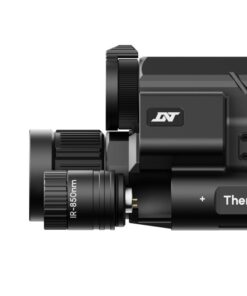
Its visible-light channel provides 1920×1080 resolution, a 60Hz sensor/display system, 5× base magnification, and digital magnification extending to 20×. DNT also specifies 65mm eye relief, ±3 diopter adjustment, and compatibility with 850nm or 940nm IR illumination.
The unit weighs approximately 724g / 25.6oz, measures about 232 × 82 × 78mm, includes 64GB of internal storage, supports Wi-Fi through the DNT app, carries an IP67 ingress-protection rating, and is rated for operation from approximately -20°C to 50°C. A 21700 flat-top battery provides up to about 5.5 hours of operation, while USB-C external power is also supported.
Parachute Jump Australia
Parachute jump Australia is unrelated to this thermal imaging optic. The phrase belongs to recreational skydiving rather than multispectral observation technology.
Skydive Byron Bay
Skydive Byron Bay refers to a skydiving activity and has no technical connection with the optic.
Weight Limit Skydiving
Weight limit skydiving concerns parachute operations and participant limits rather than thermal or digital imaging equipment.
Cairns Skydiving
Cairns skydiving is another unrelated recreational-sports search term.
Skydiving Helmet
A skydiving helmet is protective headgear and should not be confused with a thermal imaging device.
Skydive Helmets
Skydive helmets belong to airborne sports equipment rather than optical imaging systems.
Hook Blade Knife
A hook blade knife may be used as emergency equipment in some parachuting contexts but is unrelated to the scope.
Tracking Jump
A tracking jump is a skydiving discipline and has no relationship with thermal detection.
Parachute Rig
A parachute rig is a life-support harness and container system rather than an imaging optic.
Linewear
Linewear typically refers to wear on parachute suspension lines and is unrelated to this device.
Base Jumping
Base jumping is a specialized parachuting activity and should not be associated technically with this optic.
Sky Helmet Skydiving
A sky helmet skydiving search concerns head protection for freefall sports.
Wingsuit Sport
Wingsuit sport involves specialized flight suits and parachuting training, not thermal optics.
Vector Wingsuit
A vector wingsuit search is related to wingsuit or skydiving equipment rather than imaging hardware.
Full Face Skydiving Helmet
A full face skydiving helmet provides facial and head protection in freefall and serves a completely different purpose.
Skydiving Downsizing Chart
A skydiving downsizing chart concerns parachute canopy progression and is unrelated to optical specifications.
Landing Flight Risers
Landing flight risers are parachute-system components rather than imaging-system components.
Fire Parachute
The phrase fire parachute is unrelated to this thermal and night-vision platform.
Cypress Fire Skydiving
Cypress fire skydiving appears to reference skydiving or AAD-related search intent rather than this optic.
Skydiving Rigging
Skydiving rigging concerns inspection and maintenance of parachute systems and should only be performed by qualified personnel.
Baseline Jumping
Baseline jumping is unrelated to multispectral observation equipment.
Sky Diving Helmet
A sky diving helmet is protective equipment used during freefall.
Hook Knife Skydiving
A hook knife skydiving search refers to emergency cutting equipment used in parachuting contexts.
Landing Flight Risers
Landing flight risers remain part of parachute equipment and are unrelated to the device.
Skydiving Glasses
Skydiving glasses protect the eyes from wind during freefall but do not provide thermal imaging capability.
Nude Parachute Jump
A nude parachute jump is an unrelated recreational search phrase.
iFLY Colorado Springs
iFLY Colorado Springs refers to indoor skydiving and wind-tunnel activities rather than thermal observation.
Skydive Hook Knife
A skydive hook knife is emergency parachuting equipment.
Skydiving Helmet Full Face
A skydiving helmet full face search concerns protective headgear for skydivers.
Skydiving Blue Hole Belize
Skydiving Blue Hole Belize concerns destination skydiving and has no connection with thermal optics.
Smallest Canopy
The smallest canopy phrase concerns parachute sizing and advanced skydiving equipment selection.
Skydiving Speed
Skydiving speed refers to freefall velocity and aerodynamic body position.
Wing Suits for Sale
Wing suits for sale is a purchasing query for specialized skydiving apparel and is unrelated to the optic.
Skydiving Nude
Skydiving nude is an unrelated recreational search phrase.
Parts of a Parachute
Parts of a parachute include canopy, lines, risers, deployment components, harness, and container, none of which are part of this device.
Container Skydive
A container skydive search concerns the harness/container portion of a parachute system.
G35 Helmet
A G35 helmet is associated with skydiving protective equipment, not thermal imaging.
Best Skydiving Helmet
The best skydiving helmet should be evaluated according to fit, certification, visibility, comfort, and discipline rather than optic features.
Skydive Belize
Skydive Belize concerns location-specific skydiving.
Freefly Pud Handle
A freefly pud handle is a deployment component used with certain parachute systems.
Gliding Suit Wingsuit
A gliding suit wingsuit refers to specialized fabric wings used in wingsuit flying.
Jumper Pilot
A jumper pilot generally refers to a pilot transporting skydivers.
CRW Skydiving
CRW skydiving involves canopy-relative work and specialized parachuting techniques.
Gear Bag Skydive
A gear bag skydive search concerns transport and organization of parachuting equipment.
Skydiving Equipment List
A skydiving equipment list may include helmet, rig, altimeter, goggles, audible devices, and jumpsuit. These components are unrelated to the thermal optic.
Indoor Wingsuit
Indoor wingsuit refers to specialized training environments for wingsuit body-flight practice.
Can You Wear Glasses While Skydiving
The question can you wear glasses while skydiving concerns protective eyewear compatibility and is unrelated to this optic.
Wingsuit
A wingsuit is a specialized aerodynamic garment for experienced parachutists.
Skydiving Website
A skydiving website typically provides information about drop zones, equipment, training, or bookings rather than thermal imaging.
Cookie G4 Helmet
The Cookie G4 helmet belongs to the skydiving helmet market and has no technical relationship with the TNC635R.
Base Canopy
A base canopy is a parachute designed for BASE environments and should be selected only within specialized training and manufacturer guidance.
New Skydive
New skydive is a general search phrase related to skydiving experiences or equipment.
#Skydiving Latest
#skydiving latest is a social-media-style search phrase and is unrelated to multispectral imaging.
Canopy Flight
Canopy flight concerns parachute control after deployment.
Skydiver Goggles
Skydiver goggles protect the eyes during freefall and serve a different role from imaging optics.
Speed Sky Diving
Speed sky diving refers to high-speed freefall disciplines.
Fly Suits
Fly suits commonly describe skydiving or wingsuit garments.
Skydiving Rig
A skydiving rig is a complete harness/container and parachute system.
Safire 3
The Safire 3 is a sport parachute canopy and has no connection with thermal imaging.
Skydiving Gliding Suit
A skydiving gliding suit generally refers to a wingsuit.
Fluid Wings
Fluid Wings is associated with parachute canopy equipment rather than multispectral optics.
Price of Wingsuit
The price of wingsuit keyword concerns specialized skydiving equipment, not this product.
Tandem Wingsuit
A tandem wingsuit search relates to specialized parachuting terminology and does not describe any feature of the device.
Skydiving Tube
A skydiving tube is used in certain freefall displays or training contexts and is unrelated to this optic.
Why the 640×512 Thermal Sensor Matters
The 640×512 thermal channel provides substantially more thermal detail than lower-resolution 384×288 systems.
Combined with a 12 μm pixel pitch, ≤18 mK sensitivity, and 50Hz refresh rate, this gives the device a strong foundation for distinguishing heat signatures in darkness, light vegetation, haze, or other visually difficult conditions.
How the Digital Day and Night Channel Helps
The digital channel provides a conventional image where thermal contrast alone may not provide enough contextual detail.
Its 1920×1080 sensor, Sony STARVIS 2 technology, 60Hz refresh rate, and Micro-OLED display are designed to provide higher-detail visual identification during daylight and low-light conditions.
Why Multispectral Viewing Is Useful
Thermal imaging is excellent for detecting heat, while visible-light imaging provides familiar visual detail.
Combining both systems in one housing allows the user to move between detection-oriented thermal imagery and more conventional digital observation without carrying two separate optical devices.
That combination is one of the strongest technical advantages of the ThermNight platform.
Laser Rangefinder
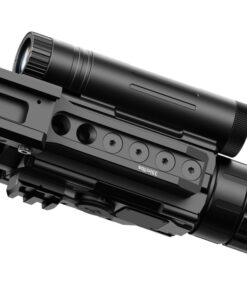
The integrated laser rangefinder is rated from approximately 5 to 1,100 meters / 5 to 1,200 yards.
This allows distance information to be viewed directly through the optic. Where the device is mounted to compatible sporting equipment, any rangefinding or ballistic feature should be used only in lawful, controlled sporting environments and according to manufacturer guidance.
Display Quality
The 1920×1080 Micro-OLED display operates at 60Hz and provides a high-resolution viewing interface for both imaging channels.
A high-quality display matters because sensor resolution is only useful when the viewer can actually see the resulting detail clearly.
Storage and Recording
The device includes 64GB of internal storage, allowing photos and video to be recorded without relying entirely on removable media. Wi-Fi connectivity and the DNT mobile app provide additional device-management functionality.
Why the IP67 Rating Matters
An IP67 rating indicates substantial resistance to dust and temporary water exposure.
That does not mean the optic should be deliberately submerged or mistreated, but it provides useful environmental protection when operating outdoors in rain, humidity, dust, or changing weather.
Battery and Field Use
The TNC635R uses a removable 21700 flat-top battery and is rated for up to approximately 5.5 hours of operation.
USB-C external power is also supported, which can be useful during extended observation sessions.
Where the Device Is Best Used
The optic is best suited to lawful thermal observation, nighttime property inspection, wildlife observation, search-oriented viewing, and controlled sporting environments where multispectral imaging provides a practical advantage.
Its compact dimensions and 724g weight make it comparatively portable for a dual-channel thermal and digital system.
When Thermal Imaging Becomes Most Useful
Thermal imaging becomes especially useful when visible-light contrast is poor.
Darkness, partial vegetation, light fog, shadows, and visually complex backgrounds can make ordinary cameras less effective.
Thermal sensing highlights temperature differences instead of depending entirely on reflected visible light.
How Good Is the Imaging Precision?
Imaging precision is supported by the combination of a 640×512 thermal detector, 12 μm pixel pitch, ≤18 mK thermal sensitivity, 50Hz thermal refresh rate, 1080p digital channel, and 60Hz Micro-OLED display.
Actual image clarity still depends on distance, atmospheric conditions, temperature contrast, focus, digital magnification, and environmental conditions.
Important Information About the TNC635R
The device is rated for 800G shock resistance, IP67 environmental protection, and temperatures from approximately -20°C to 50°C.
The lenses should be protected from scratches, the thermal objective should not be exposed unnecessarily to intense heat sources, and the device should be stored dry with battery condition monitored.
Digital zoom should also be used realistically: increasing magnification enlarges the image but does not create additional sensor detail.
Overall, the DNT TNC635R ThermNight combines high-resolution thermal imaging, 1080p digital day/night observation, integrated rangefinding, recording capability, Wi-Fi connectivity, weather resistance, and compact construction into a versatile multispectral platform designed for demanding observation conditions.
Thermal Performance, Image Clarity, Power Management, Environmental Protection, and Practical Observation Reliability
Thermal Detection Performance
Thermal imaging works by detecting temperature differences rather than depending on visible light.
This allows the device to identify warm objects against cooler surroundings in darkness and other difficult viewing conditions.
However, thermal detail is influenced by temperature contrast, humidity, atmospheric conditions, distance, and surface materials.
A strong heat signature may appear clearly, while objects with temperatures close to the surrounding environment can be harder to distinguish.
For this reason, thermal performance should always be considered in relation to actual field conditions.
Why Thermal Sensitivity Matters
Thermal sensitivity determines how effectively the sensor can distinguish small temperature differences.
Better sensitivity can help reveal more subtle detail in scenes where objects and backgrounds are close in temperature.
This is particularly useful during early morning, humid evenings, or situations where thermal contrast is limited.
However, sensitivity alone does not determine image quality.
Sensor resolution, lens quality, refresh rate, focus, processing software, and display performance all contribute to the final image.
Image Detail and Resolution
Higher sensor resolution provides more image information.
This can help the user distinguish outlines, edges, and relative shapes more effectively.
However, resolution should not be confused with unlimited identification capability.
As distance increases, fewer sensor pixels cover the observed object.
Digital magnification enlarges those pixels but does not create new thermal information.
For best results, the user should rely on moderate magnification and accurate focus rather than excessive digital zoom.
Focus Adjustment
Correct focus is essential for meaningful thermal detail.
An image may appear soft even when the sensor is functioning perfectly if the objective is not focused correctly.
Focus should be adjusted according to the observation distance.
When moving between near and far subjects, additional adjustment may be required.
A carefully focused image makes edges clearer and improves the usefulness of digital magnification.
The objective mechanism should be moved smoothly and should never be forced.
Refresh Rate and Motion
A higher refresh rate provides smoother image movement.
This becomes noticeable when scanning, walking, or observing moving subjects.
Smooth motion can make the image more comfortable to interpret and reduces the impression of delayed movement.
However, fast scanning can still make details harder to identify.
A controlled scanning speed generally produces better observation results.
The user should allow the image to settle briefly when examining a particular area.
Digital Daytime Imaging
The visible-light channel provides a different type of information from thermal sensing.
Instead of showing temperature contrast, it captures reflected light and presents familiar visual detail.
This can make objects, terrain, structures, and surrounding features easier to recognize.
During daylight, the digital channel may provide more natural contextual information.
At night, performance depends more heavily on available light or compatible infrared illumination.
Night Vision Performance
Digital night vision relies on light rather than heat.
In low-light conditions, available ambient light may be sufficient for useful imaging.
In deeper darkness, compatible infrared illumination can provide additional visibility.
The effectiveness of infrared light depends on distance, beam angle, atmospheric conditions, and reflective surfaces.
Strong nearby reflections can sometimes reduce useful contrast, so illumination should be adjusted appropriately for the scene.
Switching Between Imaging Modes
One of the practical advantages of a multispectral device is the ability to compare different imaging channels.
Thermal imaging can help locate temperature differences, while digital imaging can provide more familiar visual detail.
Switching between the two can improve situational understanding.
The user should become familiar with each mode before relying on the device in demanding conditions.
Practicing with both channels during daylight and darkness helps build more intuitive operation.
Display Quality
The internal display is responsible for presenting the information generated by the sensors.
Brightness should be adjusted so the image remains visible without causing unnecessary eye strain.
An excessively bright display can reduce comfort during prolonged nighttime observation.
A setting that is too dim may hide useful detail.
Display brightness should therefore be matched to ambient conditions.
The eyepiece should also remain clean because dust or fingerprints can reduce perceived image clarity.
Diopter Adjustment
The diopter allows the display to be matched to the user’s eyesight.
If the display graphics or menu text appear blurry even when the external image is focused, the diopter may require adjustment.
This setting is different from objective focus.
Once the display itself appears sharp, the diopter usually does not need frequent changes.
Correct adjustment can significantly improve comfort during longer viewing sessions.
Eye Relief and Viewing Comfort
Proper eye position helps the user see the complete display comfortably.
The eye should not be pressed unnecessarily against the eyepiece.
Consistent eye relief also helps reduce fatigue during extended observation.
If the image appears partially cut off, the viewing position may need adjustment.
The device should be mounted or held in a way that allows a natural head and eye position without excessive strain.
Rangefinding Reliability
Integrated distance measurement can be useful for general observation and mapping tasks.
However, reflective surfaces, rain, fog, vegetation, and target angle can influence readings.
A rangefinder may perform differently on a large reflective object than on a small dark surface.
Repeated measurements can help confirm questionable readings.
The laser window should remain clean and unobstructed.
Scratches or contamination can affect optical performance.
Recording Capability
Photo and video recording can be useful for documenting observations, comparing device settings, or reviewing conditions later.
Internal storage should be monitored periodically so recording capacity does not become unexpectedly limited.
Important files should be transferred before storage becomes full.
The user should also confirm local privacy laws before recording people or private property.
Recording features should be treated as documentation tools rather than as substitutes for direct observation.
Internal Storage Care
Digital storage systems can become less reliable if power is interrupted while files are being written.
The device should not be switched off abruptly during recording whenever possible.
Files should be transferred and backed up regularly.
If the system begins behaving unusually, checking remaining storage capacity is a useful troubleshooting step.
Important recordings should not be kept only on the device indefinitely.
Wireless Connectivity
Wireless connectivity can provide convenient access to settings, file transfer, and device management.
However, it can also increase battery consumption.
If wireless functions are not needed, disabling them can help extend runtime.
The user should also protect connected devices with appropriate security settings.
Firmware and application updates should be obtained only from official or trusted sources.
Battery Performance
Battery runtime varies with temperature, display brightness, wireless connectivity, recording use, and sensor activity.
Cold conditions can reduce available battery capacity.
For extended observation, spare compatible batteries or an approved external power source can be useful.
Batteries should remain clean, dry, and free from physical damage.
Swollen, leaking, or unusually hot batteries should not be used.
Battery Installation
Battery contacts should remain clean.
The battery should be installed in the correct orientation and should fit without being forced.
If the compartment does not close normally, the battery and sealing surfaces should be checked.
Damaged contacts can create unreliable power delivery.
The battery compartment should also remain free from sand, grit, and moisture.
External Power
External USB power can extend operating time during stationary observation.
The cable should be routed so it does not place unnecessary pressure on the port.
Damaged or low-quality cables can cause intermittent power.
Only suitable power sources should be used.
During wet conditions, exposed electrical connections require additional care because water can interfere with charging or external power operation.
Weather Resistance
Environmental sealing helps protect the internal electronics from dust and moisture.
However, weather resistance does not mean the device should be treated carelessly.
The optic should still be dried after exposure to rain.
Ports and covers should remain properly closed when not in use.
Mud, salt, and dust should be removed carefully before storage.
Long-term reliability improves when environmental protection is treated as an additional safeguard rather than permission for unnecessary exposure.
Temperature Changes
Moving rapidly between cold and warm environments can create condensation.
Moisture may appear on external lens surfaces and, in extreme situations, around seals.
The device should be allowed to acclimate gradually when possible.
Lens surfaces should not be aggressively wiped when covered with grit or condensation.
Allowing moisture to evaporate naturally can reduce the chance of scratching optical coatings.
Lens Protection
Both thermal and visible-light optics should remain protected from scratches, fingerprints, dust, and impact.
Protective caps should be used during transport and storage.
If cleaning is necessary, loose particles should be removed before wiping.
Rubbing grit across the lens can damage coatings.
Suitable optical cleaning materials are preferable to ordinary clothing or paper products.
Housing Condition
The external housing should remain free from major cracks or deformation.
Buttons, adjustment controls, ports, and covers should operate normally.
A significant impact can damage internal alignment even when the exterior appears mostly intact.
If image quality changes suddenly after a drop or impact, the device should be inspected before further demanding use.
Mounting Stability
If the optic is mounted for lawful sporting or observation purposes, the mounting interface should remain secure.
Loose hardware can create vibration and poor alignment.
Fasteners should be checked periodically without excessive torque.
Overtightening can damage threads or mounting surfaces.
The device should not be used as a carrying handle.
Transport should avoid placing unnecessary leverage on the mount.
Firmware Maintenance
Firmware can affect image processing, menus, recording, connectivity, and general system stability.
Updates should come from the manufacturer or another verified source.
The battery should have sufficient charge before an update begins.
Power loss during installation can cause software problems.
Release notes should be reviewed so the user understands what has changed before updating a working device.
Long-Term Storage
For prolonged storage, the device should be clean, dry, and protected from extreme temperatures.
Battery guidance from the manufacturer should be followed.
A protective case can reduce impact and dust exposure.
Silica gel or other appropriate moisture-control methods can also help in humid environments.
The optic should not be stored where heavy equipment can press against the lenses, controls, or mounting system.
Practical Observation Reliability
Long-term reliability depends on careful lens protection, clean power contacts, good battery management, secure mounting, environmental care, and sensible software maintenance.
Changes in image clarity, rangefinder behavior, battery life, display performance, or button response should not be ignored.
The device should be inspected after significant impact or water exposure.
When it is protected from physical damage, stored correctly, kept clean, and operated within manufacturer guidance, it is more likely to provide dependable thermal detection, clear digital observation, stable recording, and consistent multispectral performance over extended use.
Image Interpretation, Range Awareness, Recording Stability, Power Efficiency, and Long-Term Optical Care
Understanding Image Interpretation
Thermal and digital imaging should be interpreted carefully because each mode presents the environment differently.
Thermal imaging highlights temperature differences, while digital imaging shows reflected visible or infrared light.
For that reason, an object that appears very clear thermally may look less distinct in the digital channel, and the opposite can also happen.
The most reliable approach is to compare both views whenever identification matters.
Environmental conditions, distance, surface temperature, vegetation, and moisture can all affect what the user sees.
Thermal Contrast
Strong thermal contrast makes objects easier to distinguish.
For example, a warm object against a much cooler background may appear clearly defined.
However, when the surrounding environment approaches the same temperature, contrast can decrease significantly.
This often happens after surfaces have absorbed heat during the day.
As a result, image quality should not be judged from one set of conditions alone.
The same scene may appear very different at another time of day.
Background Temperature
Background temperature strongly influences thermal visibility.
Concrete, rocks, vegetation, water, and metal can retain or release heat at different rates.
These materials may therefore appear brighter or darker depending on weather and time.
Understanding these differences helps prevent misinterpretation.
The user should become familiar with common environmental patterns before relying heavily on small temperature variations.
Atmospheric Effects
Humidity, rain, fog, and airborne moisture can reduce effective thermal detail.
These conditions absorb and scatter infrared energy.
Digital imaging can also be affected by mist, dust, and rain.
When atmospheric conditions worsen, increasing digital magnification may not improve useful detail.
In many cases, moderate magnification and careful focusing provide a more readable image than attempting to enlarge an already degraded signal.
Distance Awareness
Image detail naturally decreases as observation distance increases.
At longer distances, fewer sensor pixels represent the object being viewed.
Digital enlargement can make the object appear larger on the display, but it cannot restore detail that the sensor did not capture.
For that reason, users should distinguish between detection and identification.
Something may be visible as a heat source long before enough detail is available for confident identification.
Digital Magnification
Digital magnification is useful for examining part of the image more closely.
However, excessive enlargement can make edges appear blocky or soft.
The best image is usually obtained by beginning with lower magnification and increasing it only when necessary.
This preserves more of the surrounding scene and makes orientation easier.
Users should also remember that digital zoom does not provide the same additional information as optical magnification.
Focus Discipline
Correct focusing can improve clarity more than unnecessary zoom.
The objective should be adjusted carefully for the approximate observation distance.
If the image appears soft, focus should be checked before other settings are changed.
The user should avoid repeatedly forcing the focus mechanism against its stops.
Smooth operation helps protect the internal optical components and keeps adjustment predictable.
Scene Scanning
Scanning should be performed smoothly rather than with rapid side-to-side movement.
A slower scan gives the display and the user’s eyes more time to interpret subtle details.
Fast movement can make small heat sources easier to miss.
When something unusual appears, the scan should pause briefly so the scene can be examined with both imaging channels if necessary.
Dual-Channel Comparison
Comparing thermal and digital views can provide more context than relying on either one alone.
Thermal may reveal that something is present, while the digital image can help show its shape and surroundings.
This combination is particularly useful in complex scenes containing vegetation, buildings, machinery, or uneven terrain.
The user should become comfortable switching between channels without losing awareness of the wider scene.
Display Brightness Management
Display brightness should be matched to ambient conditions.
At night, an overly bright screen can cause unnecessary eye strain and make it harder to maintain natural night vision after looking away from the device.
During daylight, additional brightness may be required for comfortable viewing.
A balanced setting improves long-session comfort and can also reduce unnecessary battery consumption.
Eye Comfort
Long viewing sessions can cause fatigue if the display, diopter, or eye position is poorly adjusted.
The user should maintain comfortable eye relief and avoid pressing the face against the eyepiece.
Short breaks can reduce eye strain during extended observation.
If the display remains blurry after focusing the scene, the diopter setting should be checked.
Correct adjustment improves both comfort and perceived sharpness.
Range Measurement Awareness
Distance measurements should be treated as one part of situational information.
Reflective surfaces may return stronger readings than dark or irregular objects.
Rain, mist, vegetation, and target angle can also influence measurement quality.
If a reading appears inconsistent, repeated measurements can help determine whether it is reliable.
The laser window should remain clean because contamination can reduce performance.
Rangefinder Window Care
The rangefinder emitter and receiver surfaces should be kept free from fingerprints, mud, dust, and condensation.
Cleaning should be performed carefully with suitable optical materials.
Scratching these surfaces can reduce measurement reliability.
Protective caps or covers should be used whenever practical during transport.
Any sudden change in rangefinder performance should first prompt an inspection of the external windows.
Recording Stability
Recording can be useful for documenting observations, reviewing imaging behavior, or comparing settings later.
However, storage space should be monitored.
Long recordings can fill internal memory faster than expected.
Important files should therefore be transferred periodically.
Recording should also be stopped properly before shutting down the device to reduce the chance of corrupted files.
File Organization
Organized file management makes recorded material easier to review.
Files can be transferred to another device and renamed according to date, location, or observation purpose.
Maintaining copies of important recordings can protect against accidental deletion or storage errors.
Users should also consider local privacy requirements when recording people, property, or restricted areas.
Wireless Feature Management
Wireless connectivity is convenient but can consume additional power.
If remote viewing or file transfer is not needed, disabling wireless features can help extend battery life.
When wireless connectivity is used, the paired phone or tablet should remain secured with normal device protections.
Official software should be preferred over unknown third-party applications.
Battery Efficiency
Battery endurance depends heavily on display brightness, recording, wireless connectivity, temperature, and overall operating mode.
Cold weather can reduce runtime.
For longer sessions, it can be useful to begin with a fully charged compatible battery and carry a properly stored spare.
Damaged or swollen batteries should never be used.
Cold-Weather Performance
Cold temperatures can influence both battery performance and user comfort.
The device may continue to operate within its rated range, but battery runtime can decrease.
A spare battery should be protected from extreme cold when possible.
The optic should also be allowed to acclimate gradually when moving between very different temperatures.
Rapid changes can cause condensation on external surfaces.
Hot-Weather Protection
High temperatures should also be avoided.
Leaving the device inside a closed vehicle in direct sunlight can expose it to temperatures far above normal operating conditions.
Heat can affect batteries, displays, seals, and electronic components.
The device should therefore be stored in a shaded and ventilated location whenever possible.
Moisture Management
After exposure to rain or heavy humidity, the housing should be wiped dry before storage.
Ports and covers should be checked to ensure they remain closed properly.
The device should not be placed immediately into a sealed case while still wet.
Allowing moisture to evaporate first helps reduce the risk of condensation and long-term corrosion around external hardware.
Lens Cleaning
Optical surfaces should be cleaned only when necessary.
Loose dust should be removed before wiping because dry grit can scratch coatings.
Suitable lens cloths and optical cleaning tools are preferable to clothing or paper tissue.
Fingerprints should not be left on the lenses for extended periods because oils can attract additional dirt.
Protective Covers
Lens caps and protective covers help reduce accidental damage during transport and storage.
They also protect optical surfaces from dust and fingerprints.
The user should develop the habit of replacing covers whenever the device is not being actively used.
A small amount of care at this stage can prevent expensive optical damage later.
Housing Inspection
The external housing should be inspected periodically for cracks, loose screws, damaged covers, or unusual movement.
Buttons and control wheels should operate normally.
A significant impact can affect internal alignment even if the housing appears mostly intact.
If imaging performance changes after a drop, the device should be inspected before continued demanding use.
Mounting Interface Condition
The mounting interface should remain secure and undamaged.
Loose hardware can produce movement, vibration, or misalignment.
Fasteners should be checked periodically, but excessive torque should be avoided.
The optic should also be removed or protected carefully during transport if the mounting arrangement places unnecessary leverage on the device.
Connector and Port Care
USB and other external ports should remain clean and dry.
Cables should be inserted carefully without forcing them.
Repeated sideways pressure on a connected cable can damage the port.
If a connector becomes loose or unreliable, the device should be inspected rather than repeatedly forcing the connection.
Protective covers should remain closed when ports are not in use.
Firmware Stability
Firmware updates can improve compatibility, image processing, recording, or connectivity.
However, updates should only be installed from trusted manufacturer sources.
The battery should have adequate charge before installation begins.
The device should not be powered off during an update.
If the optic is functioning correctly, release notes should be reviewed before deciding whether an update is necessary.
Impact Protection
Although the housing is designed for outdoor use, repeated impact should be avoided.
The device should not be dropped, struck against hard equipment, or used as a carrying point.
A padded case can provide useful protection during transport.
After a significant impact, the display, lenses, rangefinder, controls, and mounting interface should all be checked.
Long-Term Storage
For extended storage, the device should be clean, dry, and protected from extreme temperatures.
Battery storage should follow manufacturer guidance.
A hard or padded case can protect the optic from dust and accidental pressure.
The case should be stored in a dry location where heavy objects cannot crush the lenses, eyepiece, or control surfaces.
Periodic Function Checks.
Even when the device is not used frequently, periodic function checks are useful.
The thermal channel, digital channel, display, buttons, recording, rangefinder, and battery system can all be tested briefly.
This makes it easier to identify battery degradation or software issues before the device is needed.
Long-Term Optical Reliability
Long-term reliability depends on careful handling, clean lenses, proper battery management, secure mounting, sensible software maintenance, and environmental protection.
Changes in thermal clarity, digital image quality, display behavior, rangefinding, battery endurance, or recording stability should not be ignored.
When the device is kept dry, protected from impact, stored correctly, cleaned carefully, and operated within manufacturer guidance, it is more likely to maintain consistent multispectral imaging, reliable range awareness, stable recording, and dependable observation performance over extended use.
Be the first to review “DNT TNC635R ThermNight Thermal & Night Vision Multispectral Scope”
Related products
Scope
Reviews
There are no reviews yet.