
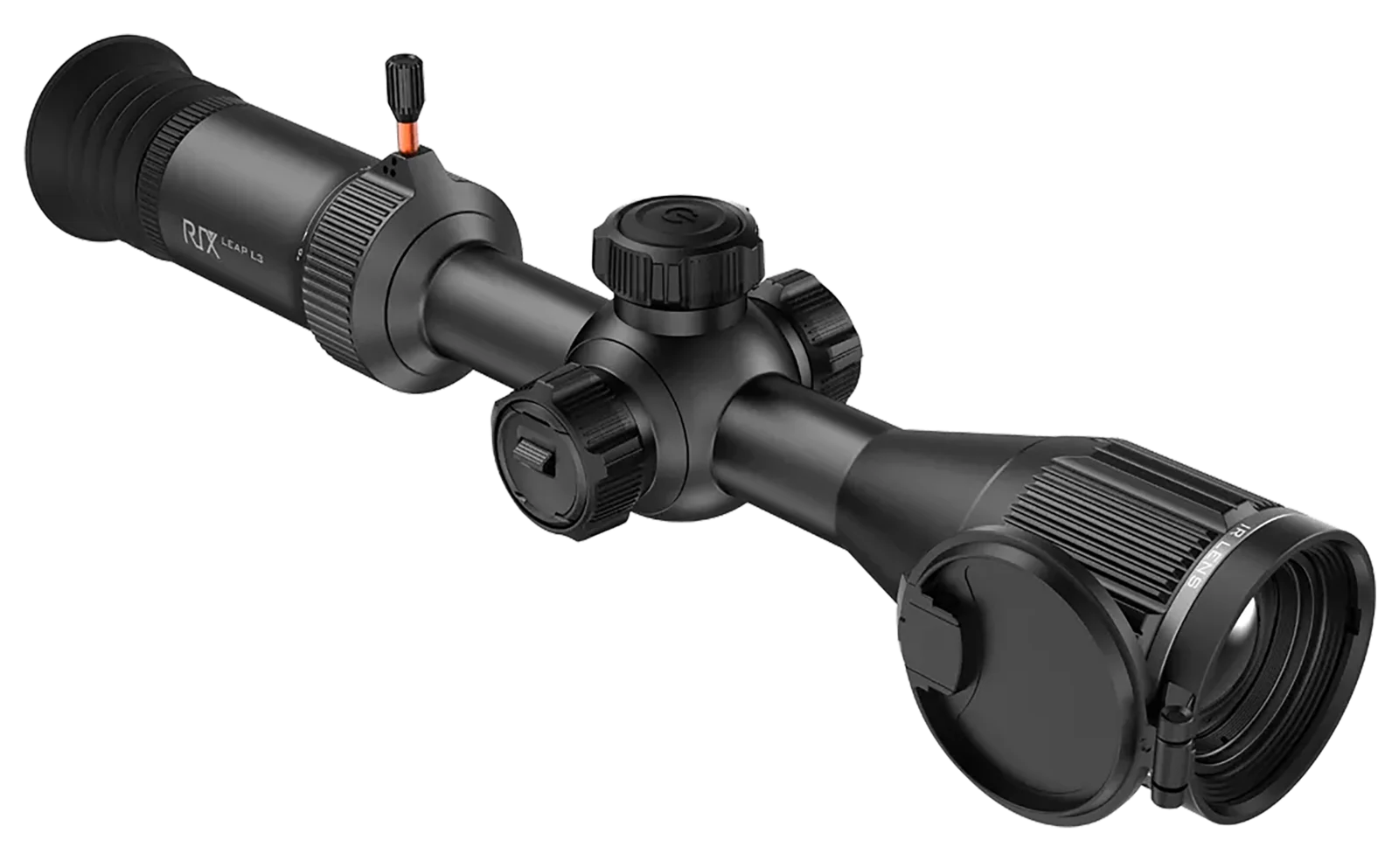
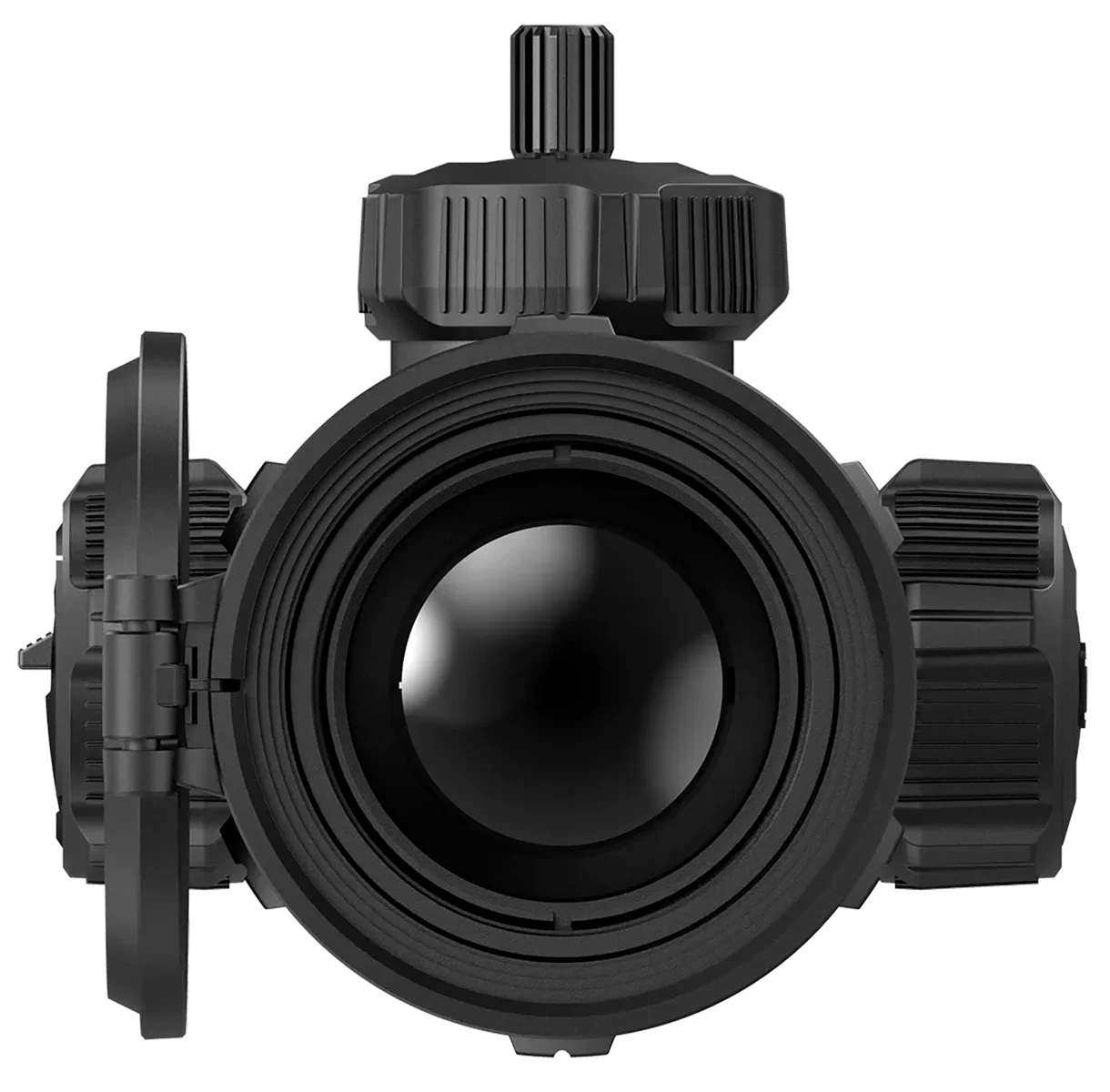
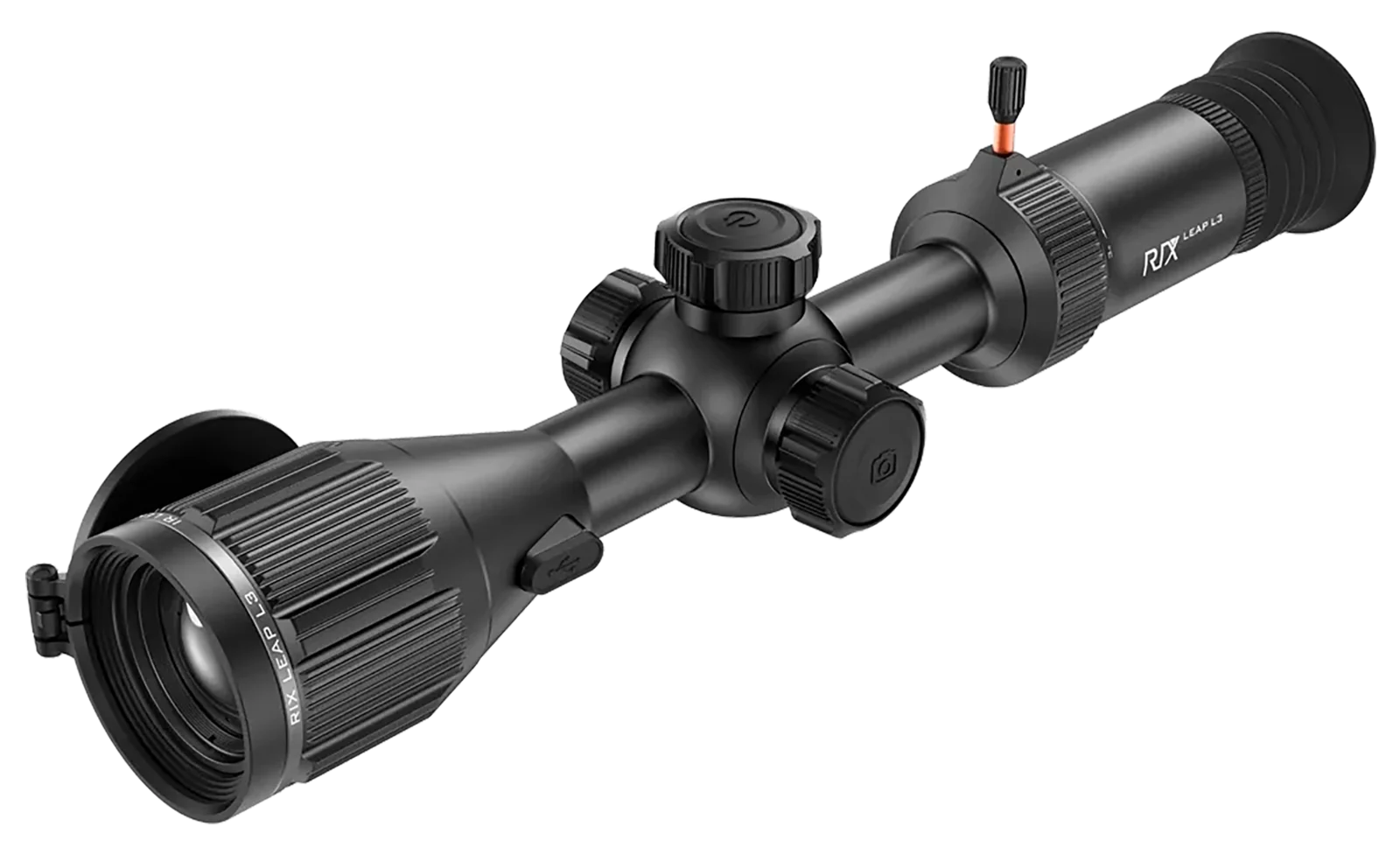
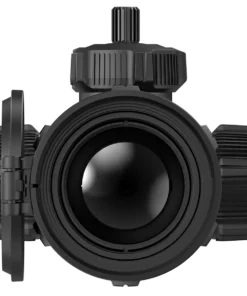
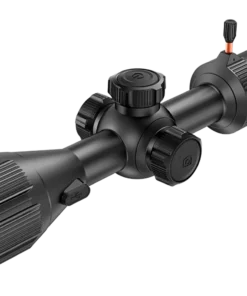
Rix Optics Leap L3 Thermal Riflescope, Black, AMOLED, 384 x 288, 30 mm
$2,300.00
Description
- Magnification: 3.2-9.6x
- Tube Diameter: 30mm
- Color: Black
- Reticle: Multiple
- Material: Aluminum
- Wireless Capable: Wi-Fi
- Field of View: 7.50 – 13.20 @ 100yds
- Resolution: 384×288, 12 Microns, 50 Hz
- Objective: 35mm
Specifications
BrandWeight2.4 lbsObjective Size35 mmDisplay TypeAMOLEDTube Diameter30 mmProduct Width5.5 inThermal Resolution384 x 288Product Height5 inProduct Length16 inSensor Frame Rate50 Hz
Leap L3 Black 3.2-9.6x35mm Multiple Reticle 1x-4x Zoom, 384x288 12 Microns 50 Hz Resolution
The LEAP series L3R 384 Thermal rifle scope with laser rangefinder is a continuous optical zoom thermal scope, specially designed for outdoor hunting during the day and night. Equipped with a high-sensitivity infrared detector and advanced thermal imaging technology, it ensures clear visibility in challenging conditions such as rain, snow, fog or darkness. It features a 30mm standard tube diameter for easy mounting and offers a range of functions including photography, video recording, automatic shooting capture, optical and electronic zoom, Picture-in-Picture (PIP) and a variety of reticle options. A single 18650 battery provides over 9 hours of continuous operation and with just three batteries, you can experience a full day of uninterrupted usage. Simplify and streamline your operation with three knobs and two buttons, providing a user-friendly experience where zeroing adjustments no longer require changing directions. Additional features include Rechargeable: Yes, Eye Relief: 50mm, Battery Size: 18650 Li-ion Rechargeable, Zoom: 1x-4x, and Proofs: Water / Weatherproof. It also specifies Power Source: USB-C, Detection Range: 1969 yds, Battery Life: 9 Hours, Range Finder: Laser, and Weight: 2.40 lbs. Furthermore, it features Controls: Direct, Display: 1920x1080 AMOLED, Memory: 32GB, Picture or Video: Photo / PiP / Video, Diopter Adjustment: -5 / +5, and Video Settings: .mp4.
RIX Optics LEAP L3 Thermal Imaging Riflescope – Black, AMOLED Display, 384 × 288 Sensor, 30mm Tube
Introduction to the RIX Optics LEAP L3
The RIX Optics LEAP L3 Thermal Imaging Riflescope represents an advanced approach to compact infrared imaging technology. Developed by RIX Optics, the LEAP family combines a high-sensitivity thermal detector, digital image processing, an AMOLED display and integrated recording capabilities within a durable black housing.
Designed around a 30mm mounting tube, the instrument incorporates electronic imaging technology for observing thermal differences in surrounding environments Rix Optics Leap L3 Thermal Riflescope Black AMOLED 384 x 288 30 mm.
Furthermore, the 384 × 288 sensor configuration belongs to the LEAP L3R variant. This distinction is important when selecting the correct product because the original LEAP L3 has different detector specifications.
2. Advanced Thermal Imaging Technology
The system uses an uncooled VOx infrared detector.
This technology detects infrared radiation and converts the information into electronic images. Consequently, thermal imaging can provide visual information independently of ordinary visible-light photography.
The 384 × 288 detector provides 110,592 individual pixels, while the 12μm pixel pitch contributes to the sensor’s compact construction.
Additionally, the L3R specification includes thermal sensitivity below 20mK and a 50Hz refresh rate.
These characteristics contribute to the instrument’s overall imaging performance.
3. AMOLED Display Technology
A significant feature is the integrated 1920 × 1080 AMOLED display.
AMOLED technology produces light at individual pixels, providing strong contrast characteristics and detailed electronic image presentation.
Furthermore, its high-resolution format supports a comfortable digital viewing experience.
The display forms an important part of the instrument’s overall electronic architecture.
4. Optical and Electronic Construction
The LEAP L3R configuration incorporates a 35mm F0.9 objective lens.
Its optical assembly is designed to collect infrared information for the electronic detector.
The instrument also incorporates digital image processing and adjustable electronic viewing functions.
Moreover, the optical and electronic components are housed within a robust black exterior.
5. Digital Recording and Storage
The integrated 32GB storage system provides space for supported photographs and video recordings.
Recorded media can be retained for subsequent review and transferred using compatible connectivity options.
Furthermore, built-in Wi-Fi supports communication with compatible devices through the manufacturer’s application.
USB Type-C connectivity provides an additional connection and external power option.
6. Weather Resistance and Durability
The IP67 protection rating represents an important construction feature.
The rating indicates protection against dust ingress and specified temporary water immersion conditions.
Additionally, the manufacturer specifies an operating temperature range of approximately -20°C to +50°C.
These characteristics make environmental protection an important consideration when evaluating the instrument.
7. Battery System and Power Management
The system uses a rechargeable 18650 battery.
The manufacturer specifies approximately four hours of operating time under stated conditions for the L3R configuration.
Actual operating duration can vary according to temperature, electronic settings and usage.
Furthermore, external 5V USB Type-C power is supported.
8. Why Consider the RIX Optics LEAP L3?
Several characteristics distinguish this electronic imaging instrument:
- 384 × 288 thermal detector on the L3R variant.
- High-resolution 1920 × 1080 AMOLED display.
- Uncooled VOx infrared sensor technology.
- Integrated digital image recording.
- 32GB internal storage.
- Wireless connectivity.
- IP67-rated environmental protection.
- Rechargeable battery system.
- Durable black external construction.
- Standard 30mm mounting tube specification.
Overall, the LEAP family combines modern infrared imaging, electronic display technology and practical digital features in one integrated product.
9. Important Buying Information
Before purchasing, verify that the product label identifies the correct version.
In particular, the original L3 and L3R should not be confused. Their thermal detector resolutions differ.
The objective lens specification should also be distinguished from the 30mm mounting tube measurement.
Finally, confirm the package contents, battery accessories, warranty and physical condition with the seller before completing an order.
Product Performance, Imaging Technology, Construction Quality, Practical Ownership, Maintenance and Frequently Asked Questions
Understanding Modern Thermal Imaging Technology
Thermal imaging has become an important development in modern electronic observation equipment. Unlike conventional cameras, which depend on visible light, thermal imaging systems detect infrared radiation emitted by objects and surrounding surfaces.
This difference allows thermal information to be converted into electronic images without relying on ordinary photographic illumination.
Furthermore, the technology has applications in industrial inspections, environmental research, building diagnostics, electrical maintenance and scientific observation.
The development of compact infrared detectors has also made portable imaging equipment increasingly accessible.
How Infrared Imaging Works
Infrared radiation forms part of the electromagnetic spectrum. Although it cannot normally be seen by the human eye, specialized electronic detectors can register particular infrared wavelengths.
Every object above absolute zero emits infrared radiation. However, the amount detected can vary according to temperature, material properties, surface conditions and the surrounding environment.
An imaging detector receives infrared information and converts it into electronic signals. These signals are subsequently processed and presented on a digital display.
Consequently, the resulting image represents differences in detected infrared energy rather than an ordinary photograph.
Understanding Thermal Detector Resolution
Thermal resolution describes the number of individual detector pixels used to create an image.
Each pixel represents an individual measurement within the detector array.
Consequently, a higher pixel count can provide more detailed thermal information. However, resolution alone does not determine the overall quality of an imaging system.
Other important characteristics include optical transmission, detector sensitivity, image processing and environmental conditions.
Furthermore, the quality of the electronic display influences how effectively the information is presented.
Understanding Pixel Pitch
Pixel pitch represents the distance between the centres of adjacent detector pixels.
It is normally measured in micrometres.
This measurement contributes to the physical architecture of the detector and helps describe its design.
However, smaller pixel pitch should not automatically be interpreted as superior performance.
The detector, optical assembly and electronic processing system must be evaluated together.
Thermal Sensitivity and Measurement Conditions
Thermal sensitivity describes the ability of a detector to distinguish relatively small differences in infrared radiation.
It is commonly expressed in millikelvin.
A lower numerical value generally indicates greater sensitivity to small temperature differences under specified testing conditions.
Nevertheless, sensitivity figures should be interpreted carefully.
Testing temperature, environmental conditions and measurement procedures can influence the reported result.
Furthermore, sensitivity is only one part of the complete imaging specification.
Understanding Refresh Rates
Refresh rate describes how frequently an imaging system updates the information presented on its display.
It is generally expressed in hertz.
A higher refresh rate can contribute to smoother visual presentation when the displayed information changes.
However, refresh rate should not be confused with image resolution.
The two specifications describe different characteristics of electronic imaging equipment.
The Importance of Image Processing
Image processing involves converting detector information into a format that can be displayed and interpreted.
Several digital processes may contribute to the final presentation.
These include noise management, brightness adjustment, contrast control and electronic image enhancement.
Furthermore, processing consistency can influence the appearance of images under changing environmental conditions.
Understanding Image Noise
Image noise refers to unwanted variations within electronic image information.
It may originate from detector characteristics, electronic interference, temperature fluctuations or processing limitations.
Furthermore, noise can affect how clearly small differences appear on a display.
Modern imaging systems incorporate digital methods intended to reduce unwanted variations.
However, no electronic imaging system should be expected to eliminate all noise under every condition.
Contrast and Image Presentation
Contrast describes differences in brightness between areas of an image.
Appropriate contrast can make individual image characteristics easier to distinguish.
However, excessive contrast can remove subtle information.
Consequently, balanced image presentation is important.
Furthermore, display quality, viewing conditions and user comfort should all be considered.
Understanding AMOLED Technology
AMOLED stands for Active Matrix Organic Light-Emitting Diode.
This technology uses individually controlled pixels that generate their own light.
Unlike conventional LCD systems, separate backlighting is not required in the same way.
Consequently, AMOLED displays can provide strong contrast characteristics and deep black levels.
Furthermore, their compact construction makes them suitable for many modern electronic devices.
Display Resolution and Visual Detail
Display resolution describes the number of pixels used to produce the visible image.
A higher resolution can provide a more detailed presentation when supported by the source image.
However, display resolution does not increase the underlying information captured by the detector.
This distinction is important when comparing electronic imaging specifications.
The detector and display perform different functions.
Display Brightness and Viewing Comfort
Brightness influences how clearly information can be viewed under different ambient conditions.
However, excessive brightness may cause discomfort during extended viewing.
Furthermore, viewing comfort depends on contrast, display characteristics and individual visual preferences.
Users should follow the manufacturer’s recommendations and take regular breaks.
Digital Recording Technology
Modern electronic imaging equipment may incorporate photography and video recording functions.
These features provide opportunities to retain supported digital information for subsequent review.
Furthermore, recordings can be useful for equipment documentation, research and general observation records.
Storage capacity, file format and recording quality determine how much information can be retained.
Understanding Internal Digital Storage
Internal storage provides space for electronic files.
Its available capacity determines how much information can be retained before files need to be transferred or deleted.
Furthermore, video recordings generally require more storage than individual photographs.
Regular file management can help maintain available capacity.
Managing Digital Files
Digital files should be organized in a consistent manner.
Useful practices include assigning descriptive filenames, maintaining organized folders and transferring important information to a separate storage location.
Furthermore, backups help reduce the risk of losing valuable recordings.
Files should also be checked for successful transfer before being deleted from the original equipment.
Wireless Connectivity
Wireless connectivity allows compatible electronic devices to communicate.
Depending on the manufacturer’s application, supported functions may include image viewing, file management and device communication.
However, wireless performance can vary according to distance, interference and device compatibility.
Furthermore, software updates may change available functions.
Mobile Application Compatibility
Mobile applications can provide additional electronic management capabilities.
Nevertheless, compatibility should be checked before purchasing.
Operating system requirements, application versions and supported device models can influence connectivity.
Official application sources should always be preferred.
Understanding External Connections
Electronic connections provide interfaces for charging, data transfer and compatible accessories.
Their condition can influence reliable operation.
Furthermore, connectors should be protected against contamination, moisture and unnecessary physical stress.
Damaged connection points should be examined by qualified technicians.
Construction Materials and Manufacturing Quality
Electronic imaging equipment requires a housing capable of protecting sensitive internal components.
Aluminium is commonly selected because it offers a combination of strength, manageable weight and manufacturing flexibility.
Furthermore, aluminium can be machined accurately.
Manufacturing tolerances influence how individual components fit together.
Consistent machining and appropriate finishing procedures contribute to product quality.
Understanding Protective Housing
The external housing serves several purposes.
It protects internal electronic components, supports the physical structure and provides mounting points for relevant assemblies.
Furthermore, external finishing can contribute to resistance against ordinary handling and environmental exposure.
Nevertheless, protective construction should not be interpreted as permission for careless handling.
Environmental Protection
Electronic equipment may be exposed to dust, rain, humidity and changing temperatures.
Consequently, environmental protection is an important purchasing consideration.
Protection ratings provide standardized information about resistance to particular environmental conditions.
However, these ratings apply only within their specified testing requirements.
Understanding IP67 Protection
An IP67 rating indicates protection against dust ingress and temporary immersion in water under defined testing conditions.
The first digit relates to dust protection.
The second digit relates to water protection.
Nevertheless, this rating does not mean that unrestricted underwater use is permitted.
Protective seals, covers and connectors should be maintained according to manufacturer instructions.
Operating Temperature
Electronic equipment has specified operating temperature limits.
Outside these limits, performance may become inconsistent.
Furthermore, batteries and electronic displays can respond differently to temperature changes.
Users should consult the product documentation before exposing equipment to particularly hot or cold environments.
Cold Weather and Electronic Equipment
Low temperatures can influence rechargeable battery performance.
Available battery capacity may temporarily decrease in cold environments.
Furthermore, sudden temperature changes can cause condensation.
Allowing equipment to adjust gradually to its surrounding environment can help reduce moisture-related problems.
Warm Weather and Heat Management
Excessive heat can affect electronic components and rechargeable batteries.
Consequently, equipment should not be left inside vehicles exposed to intense sunlight.
Furthermore, long-term storage in hot conditions may accelerate battery deterioration.
Appropriate storage practices help preserve electronic components.
Humidity and Condensation
Humidity can affect electronic equipment when moisture enters vulnerable areas.
Condensation may also develop when equipment moves rapidly between environments with different temperatures.
External surfaces should be allowed to dry appropriately.
Furthermore, protective covers should be checked before equipment is stored.
Dust and Contamination
Dust can accumulate on external surfaces, protective covers and connectors.
Regular inspection helps identify contamination before it becomes problematic.
However, compressed air and aggressive cleaning products should not be used unless approved by the manufacturer.
Suitable cleaning materials are preferable.
Rechargeable Battery Technology
Rechargeable lithium batteries are widely used in portable electronic equipment.
They provide a useful combination of energy capacity and compact size.
Furthermore, they can be recharged repeatedly when handled correctly.
Nevertheless, their performance changes with age, temperature and charging conditions.
Understanding Battery Operating Time
Operating time refers to the period an electronic instrument can function before requiring additional power.
Actual operating duration may differ from published manufacturer figures.
Several factors influence battery consumption, including display brightness, recording activity, wireless connectivity and environmental temperature.
Furthermore, battery age can influence available capacity.
Safe Battery Charging
Suitable charging equipment should always be used.
Damaged batteries should not be charged or reused.
Furthermore, batteries should not be exposed to excessive heat, moisture or physical pressure.
Users should follow the manufacturer’s charging instructions.
Battery Storage and Preservation
Rechargeable batteries should be stored under suitable conditions.
Extreme temperatures should be avoided.
Furthermore, long periods of inappropriate storage may affect battery performance.
Where removable batteries are used, the manufacturer’s recommendations concerning storage and charge levels should be followed.
Recognizing Battery Deterioration
Battery deterioration may become noticeable through reduced operating time, inconsistent charging or unexpected shutdowns.
Furthermore, swelling, leakage or unusual heating may indicate a serious problem.
Damaged batteries should be removed from service and handled according to appropriate battery-safety procedures.
Routine Maintenance
Regular maintenance contributes to long-term equipment preservation.
External surfaces, connectors, protective covers and optical components should be inspected periodically.
Furthermore, unusual sounds, display irregularities or charging problems should be investigated.
Cleaning External Surfaces
A soft, non-abrasive cloth can be used for ordinary external cleaning.
Abrasive materials should be avoided.
Furthermore, unsuitable chemicals may damage protective finishes.
Cleaning should always follow manufacturer recommendations.
Maintaining Optical Surfaces
Optical surfaces require careful handling.
Loose particles should be removed before cleaning.
Otherwise, wiping may cause scratches.
Suitable optical cleaning products should be used.
Furthermore, fingers should be kept away from exposed optical surfaces.
Maintaining Electronic Connections
Connectors should remain clean and dry.
Protective covers should be fitted when appropriate.
Furthermore, damaged cables and connectors should not be forced into position.
Professional inspection may be required when connection problems continue.
Software and Firmware Maintenance
Electronic equipment may receive firmware or software updates.
Such updates can introduce compatibility improvements or correct identified software problems.
However, updates should only be obtained through official manufacturer channels.
Furthermore, installation instructions should be followed carefully.
Professional Servicing
Internal electronic repairs require appropriate equipment and technical knowledge.
Unauthorized disassembly may damage sensitive components.
Consequently, professional servicing is preferable when internal faults are suspected.
This is particularly important when the product remains covered by a manufacturer’s warranty.
Understanding Product Authenticity
Authenticity is an important consideration when purchasing specialized electronic equipment.
Customers should verify the manufacturer, model identification and seller information.
Furthermore, serial numbers and original documentation may assist with verification.
Unusually low prices should be investigated carefully.
Understanding Product Condition
When purchasing previously owned equipment, external condition should be inspected carefully.
Scratches, damaged protective covers, missing accessories and battery deterioration should be disclosed.
Furthermore, product photographs should represent the actual item being offered.
Understanding Warranty Coverage
Warranty coverage varies according to the manufacturer, seller and purchasing arrangements.
Customers should establish the warranty period and applicable conditions before completing a transaction.
Furthermore, international purchases may have different service arrangements.
Included Accessories
Package contents should be confirmed with the seller.
Photographs used in advertising do not necessarily represent every included accessory.
Furthermore, batteries, charging cables, protective cases and documentation may vary between packages.
Long-Term Ownership
Long-term ownership involves appropriate maintenance, safe battery handling and suitable storage.
Furthermore, software compatibility and servicing availability may influence the ownership experience.
Maintaining purchase documentation can also be helpful when requesting support.
Frequently Asked Questions
1. What is thermal imaging?
Thermal imaging is an electronic technology that detects infrared radiation and converts differences in detected energy into visible images.
2. Does thermal imaging require visible light?
No. Thermal imaging detects infrared radiation rather than depending on ordinary visible illumination.
3. What is an uncooled infrared detector?
It is a detector that operates without requiring a mechanical cryogenic cooling system.
4. What does thermal sensitivity mean?
Thermal sensitivity describes the ability of a detector to distinguish relatively small differences in infrared radiation.
5. What does mK stand for?
Millikelvin represents one-thousandth of a kelvin.
6. What is pixel pitch?
Pixel pitch describes the distance between the centres of neighbouring detector pixels.
7. Does higher resolution always mean better image quality?
No. Optical characteristics, detector sensitivity, processing and display quality also contribute.
8. What does refresh rate mean?
Refresh rate describes how frequently electronic image information is updated.
9. What is AMOLED?
AMOLED is a display technology in which individual pixels produce their own light.
10. Why is display contrast important?
Contrast helps distinguish different brightness levels within an electronic image.
11. What is digital image processing?
It involves converting electronic detector information into a visual format.
12. What causes image noise?
Image noise can result from detector characteristics, electronic interference and environmental conditions.
13. What is internal storage used for?
Internal storage provides space for supported digital photographs and recordings.
14. Why is wireless connectivity useful?
It allows compatible electronic devices to communicate and exchange supported information.
15. Does wireless connectivity work at every distance?
No. Connection quality depends on distance, interference and compatibility.
16. What is the purpose of rechargeable batteries?
Rechargeable batteries provide portable electrical energy for electronic equipment.
17. Does cold weather affect batteries?
Yes. Low temperatures can temporarily reduce available battery capacity.
18. Can excessive heat damage rechargeable batteries?
Yes. Excessive heat may accelerate battery deterioration.
19. What does IP67 mean?
It indicates a defined level of dust protection and resistance to temporary water immersion.
20. Does IP67 mean unrestricted underwater operation?
No. It applies to specified testing conditions.
21. Why is aluminium used in electronic housings?
It offers a useful combination of strength, manageable weight and manufacturing flexibility.
22. What is USB Type-C?
It is a standardized connector format used for supported charging and data functions.
23. How should electronic equipment be stored?
A clean, dry and secure location away from excessive heat is generally preferable.
24. Can ordinary household cleaning products be used?
Not automatically. Cleaning products should be compatible with the equipment’s materials.
25. Why should connectors remain clean?
Contamination can interfere with electrical contact and contribute to connection problems.
26. What should be done if the display stops working?
The manufacturer’s troubleshooting instructions should be consulted. Persistent problems should be examined by qualified technicians.
27. Can damaged batteries be reused?
No. Damaged, swollen or leaking batteries should be removed from service.
28. Why should firmware updates come from official sources?
Official software helps reduce compatibility problems and the risk of installing unauthorized files.
29. What should buyers inspect when purchasing used equipment?
They should inspect external condition, display quality, connectors, battery condition, accessories and available documentation.
30. Does regular maintenance improve long-term reliability?
Appropriate cleaning, safe battery handling, suitable storage and professional servicing contribute to long-term equipment preservation.
Final Product Ownership Considerations
Modern electronic imaging equipment combines sophisticated sensors, digital processing, display technology and rechargeable power systems.
Its long-term performance depends not only on the original manufacturing quality but also on appropriate maintenance and responsible ownership.
Furthermore, buyers should verify the exact model, specifications, package contents and warranty conditions before purchasing.
A careful purchasing decision, combined with suitable storage and regular inspection, can help preserve the equipment’s condition and long-term value Rix Optics Leap L3 Thermal Riflescope Black AMOLED 384 x 288 30 mm
Rix Optics Leap L3 Thermal Riflescope Black AMOLED 384 x 288 30 mmRix Optics Leap L3 Thermal Riflescope Black AMOLED 384 x 288 30 mm Rix Optics Leap L3 Thermal Riflescope Black AMOLED 384 x 288 30 mm
Rix Optics Leap L3 Thermal Riflescope Black AMOLED 384 x 288 30 mm Rix Optics Leap L3 Thermal Riflescope Black AMOLED 384 x 288 30 mm Rix Optics Leap L3 Thermal Riflescope Black AMOLED 384 x 288 30 mm Rix Optics Leap L3 Thermal Riflescope Black AMOLED 384 x 288 30 mm Rix Optics Leap L3 Thermal Riflescope Black AMOLED 384 x 288 30 mm Rix Optics Leap L3
Thermal Riflescope Black AMOLED 384 x 288 30 mm Rix Optics Leap L3 Thermal Riflescope Black AMOLED 384 x 288 30 mm Rix Optics Leap L3 Thermal Riflescope Black AMOLED 384 x 288 30 mm Rix Optics Leap L3 Thermal Riflescope Black AMOLED 384 x 288 30 mm Rix Optics Leap L3 Thermal Riflescope Black AMOLED 384 x 288 30 mm Rix Optics Leap L3 Thermal Riflescope Black AMOLED 384 x 288 30 mmRix Optics Leap L3 Thermal Riflescope Black AMOLED 384 x 288 30 mm
Rix Optics Leap L3 Thermal Riflescope Black AMOLED 384 x 288 30 mmRix Optics Leap L3 Thermal Riflescope Black AMOLED 384 x 288 30 mmRix Optics Leap L3 Thermal Riflescope Black AMOLED 384 x 288 30 mm
Rix Optics Leap L3 Thermal Riflescope Black AMOLED 384 x 288 30 mmRix Optics Leap L3 Thermal Riflescope Black AMOLED 384 x 288 30 mmRix Optics Leap L3
Rix Optics Leap L3 Thermal Riflescope Black AMOLED 384 x 288 30 mmRix Optics Leap L3 Thermal Riflescope Black AMOLED 384 x 288 30 mmRix Optics Leap L3 Thermal Riflescope Black AMOLED 384 x 288 30 mmRix Optics Leap L3 Thermal Riflescope Black AMOLED 384 x 288 30 mmRix Optics Leap L3 Thermal Riflescope Black AMOLED 384 x 288 30 mmRix Optics Leap L3 Thermal Riflescope Black AMOLED 384 x 288 30 mmRix Optics Leap L3 Thermal Riflescope Black AMOLED 384 x 288 30 mm
Rix Optics Leap L3 Thermal Riflescope Black AMOLED 384 x 288 30 mmRix Optics Leap L3 Thermal Riflescope Black AMOLED 384 x 288 30 mmRix Optics Leap L3 Thermal Riflescope Black AMOLED 384 x 288 30 mm
Thermal Riflescope Black AMOLED 384 x 288 30 mmRix Optics Leap L3 Thermal Riflescope Black AMOLED 384 x 288 30 mmRix Optics Leap L3 Thermal Riflescope Black AMOLED 384 x 288 30 mmRix Optics Leap L3 Thermal Riflescope Black AMOLED 384 x 288 30 mmRix Optics Leap L3 Thermal Riflescope Black AMOLED 384 x 288 30 mm
Rix Optics Leap L3 Thermal Riflescope Black AMOLED 384 x 288 30 mmRix Optics Leap L3 Thermal Riflescope Black AMOLED 384 x 288 30 mmRix Optics Leap L3 Thermal Riflescope Black AMOLED 384 x 288 30 mmRix Optics Leap L3
Thermal Riflescope Black AMOLED 384 x 288 30 mmRix Optics Leap L3 Thermal Riflescope Black AMOLED 384 x 288 30 mmRix Optics Leap L3 Thermal Riflescope Black AMOLED 384 x 288 30 mmRix Optics Leap L3 Thermal Riflescope Black AMOLED 384 x 288 30 mm.
Be the first to review “Rix Optics Leap L3 Thermal Riflescope, Black, AMOLED, 384 x 288, 30 mm”
Related products
Reviews
There are no reviews yet.